PostPixel vs Blaze: A Blaze AI Alternative for Real Photos
Blaze is a broad AI marketing platform. PostPixel turns your own job photos into posts. Here's how to pick the one that fits.
If you’re shopping for an AI tool to handle your social media, you’ve probably come across Blaze. It’s a well-built product, and for some businesses it’s the right pick. But if you run a roofing company, a cleaning business, a restaurant or a vacation rental, there’s one question worth asking before you sign up for anything: where do the pictures in your posts come from?
That’s the real difference between these two tools. PostPixel starts from the photos you already take. Blaze is a broader AI marketing platform that can use your photos, stock media or AI-generated images, depending on how you set it up.
This post compares them side by side so you can decide which one fits. Everything we say about Blaze comes from its own public website and help center, checked on October 29, 2026. Features and prices change, so check their pages before you decide.
The short answer
- Pick PostPixel if you have real photos of your work (job sites, before-and-after shots, your team, your food, your rental) and you want them turned into branded social posts without much effort.
- Pick Blaze if you want one platform for social posts, blog posts, email and ads, or you’d like a team to run your marketing for you.
What each tool is
PostPixel
PostPixel is an AI social media tool for local businesses and the agencies that serve them. You upload your business photos, up to 25 at a time, with no limit on the total. Pixel, PostPixel’s AI, turns them into finished posts in your brand, with captions written in your voice. It makes up to 5 posts at once.
It makes six kinds of posts: business photo posts, before-and-after posts, promotional posts, educational posts, informational posts and Google review posts. Tag photos Before and After and PostPixel pairs them. Connect your Google Business Profile and your reviews can become branded posts too.
Blaze
Blaze describes itself as “marketing done for you.” Its homepage says you can “plan, create, publish, and improve your marketing in one place,” and either run it yourself in the software or have the Blaze team run it for you.
The software side covers social posts, blog posts, emails and AI video. Blaze also lists integrations for Meta ads, WordPress, Wix, GoHighLevel, Mailchimp, Google Analytics and Google Drive, plus social channels including Facebook, Instagram, LinkedIn and Google Business Profile. Its fully managed plan adds things like a website, search ads, an AI receptionist, review requests and reporting.
So Blaze is wider. PostPixel is narrower and goes deeper on one job: making social posts out of your own photos.
Where the photos come from
This is the part most comparisons skip, and it matters most for a local business.
In Blaze
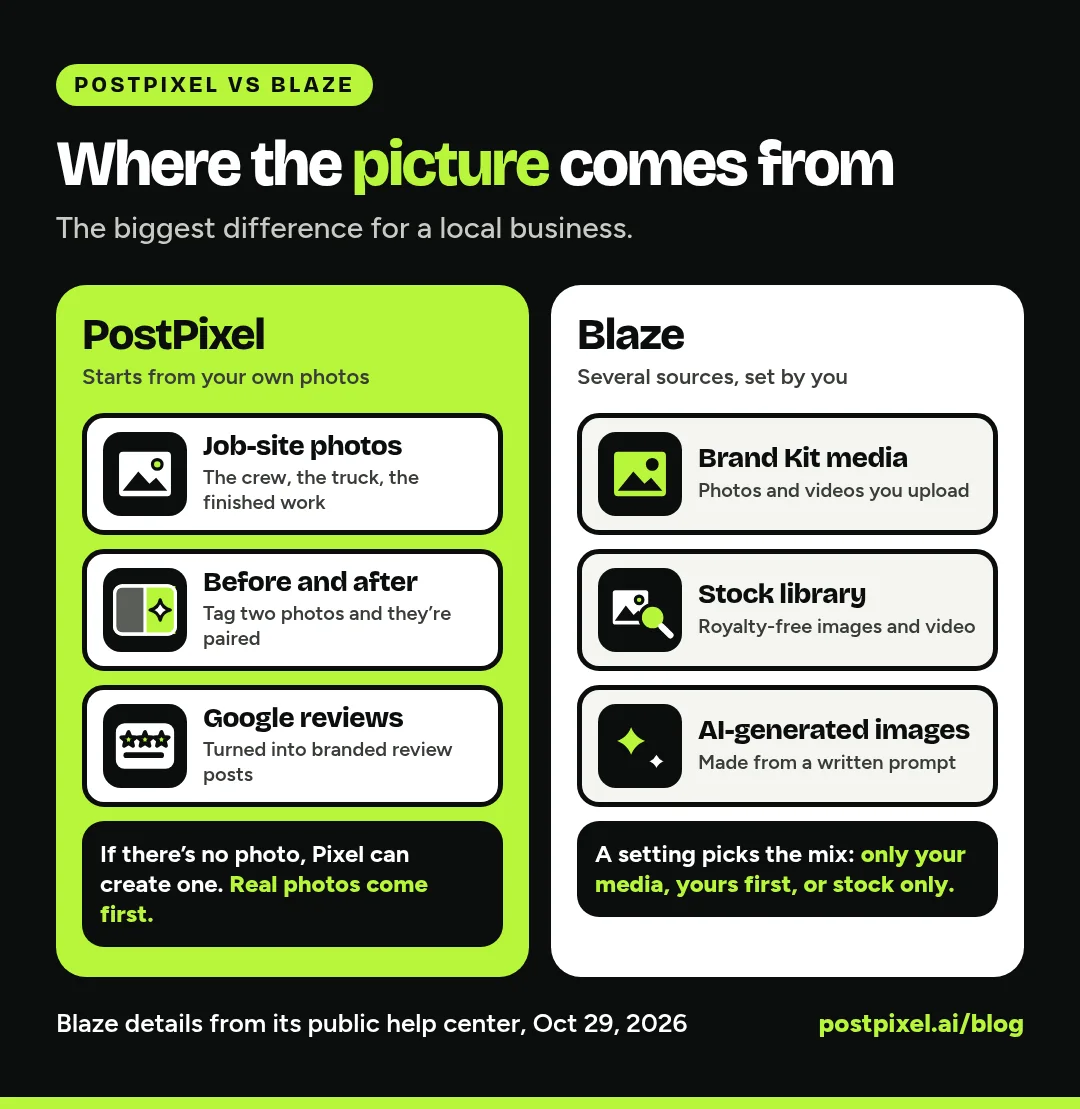
Blaze gives you several image sources. Its help center explains that you can upload your own photos and videos to your Brand Kit, search its royalty-free stock library, or generate images with AI from a written prompt (AI image generation uses credits).
A setting called Brand Kit Media Priority decides which one Blaze reaches for when it creates content:
- Only Brand Kit media: it uses your uploads only, and re-uses them if it runs out.
- Brand Kit first: it uses each of your uploads once per batch.
- Stock media only: it uses stock images and video, none of yours.
That’s flexible, and handy if you don’t have many photos. If you want your real work in every post, upload enough photos and set that preference to match.
In PostPixel
PostPixel starts from your photos. That’s the whole idea. The photo library lets you tag images so Pixel knows how to use them: People, Products, Places, Brand Assets, Events, Brand Backgrounds, Before and After.
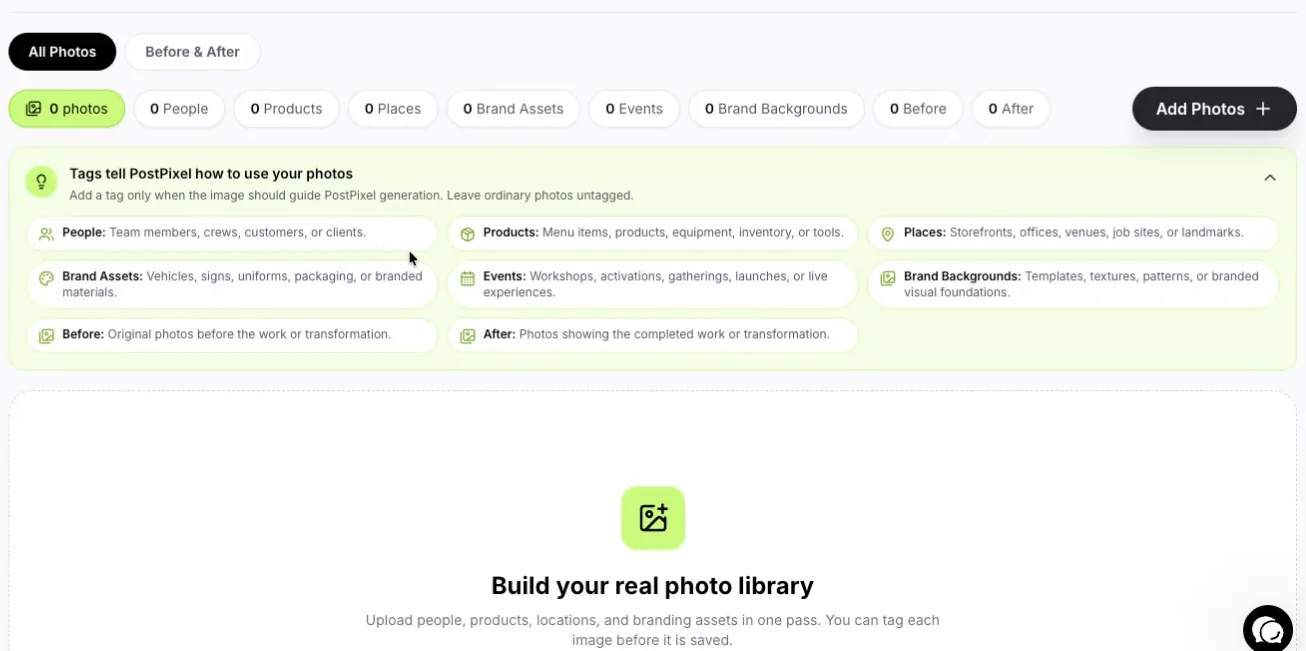
The PostPixel photo library: tags tell Pixel how to use each photo.
If you don’t have a photo for a post, Pixel can create an image for you. But real photos come first, because a picture of your own crew on a real roof tells a homeowner more than any stock image can.
For ideas on what to shoot, see how to turn job-site photos into a month of social posts.
Why your own photos matter for local businesses
People hiring a roofer, a plumber or a house cleaner are trying to answer one question: will these people do a good job at my house? A photo of your actual work answers it. A generic image of a smiling worker in a spotless uniform doesn’t.
The same goes for other local businesses:
- Home services: the finished deck, the clean driveway, the new water heater, the crew loading the truck at 7 AM.
- Restaurants: the real plate, not a styled stock burger that isn’t on your menu.
- Nonprofits: your volunteers at your event, which is what donors want to see.
- Airbnb hosts: the actual view from the actual balcony. Guests notice when photos don’t match.
Before-and-after photos are especially strong for trades, because they show the result in one glance. Our guide to before-and-after posts for contractors covers what to shoot and how to caption it.
AI images still have a place, say for a holiday post or a tip graphic. The question is what you want most of your feed to be.
Side-by-side comparison
| PostPixel | Blaze | |
|---|---|---|
| What it is | AI social media tool that makes posts from your business photos | All-in-one AI marketing platform, with an optional managed service |
| Main image source | Your own photos (AI image only if you don’t have one) | Your Brand Kit media, stock library or AI images, set by you |
| Content types | Static social posts | Social posts, blog posts, emails, AI video and ads |
| Before-and-after posts | Tag photos Before and After and they’re paired | Not something we found on its public pages |
| Google review posts | Yes, once Google Business Profile is connected | Not something we found on its public pages |
| Posting to | Facebook, Instagram, Google Business Profile, LinkedIn | Facebook, Instagram, LinkedIn, Google Business Profile and other channels |
| Editing | Select or brush over one spot and change only that part, on every plan | Built-in designer for editing visuals |
| Multiple brands | Agency plan: 3 client workspaces, then $37/ |
One workspace per brand, each with its own Brand Kit |
| Starting price | From $49/ |
Software from $79/ |
| Free trial | 7 days, cancel anytime | 7 days |
Blaze prices as listed on its pricing page on October 29, 2026.
Pricing
PostPixel starts from $49/month. Solopreneur is $49, Teams is $79 and Agency is $99 with 3 client workspaces included, then $37/month for each extra workspace. Every plan has a 7-day free trial and you can cancel anytime.
Blaze’s pricing page lists two software plans. Starter is $79/month with 3 posting accounts, 600 generation credits a month and 1 user. Growth is $149/month with 10 posting accounts, 1,500 generation credits a month and unlimited users. Its All-In-One managed plan is $999/month.
Blaze uses credits. According to its pricing page, a static social post costs 1 credit, an email or blog post 3 credits and an AI video 15 credits, and you can buy more credits if you need them.
Editing and control
Both tools let you review and approve posts before they go out.
In PostPixel, the precision editor is on every plan. Select or brush over one area of a post, tell Pixel what to change (new text, a different color, a swapped photo) and only that spot changes. The rest of the post stays exactly as it was. You can also lock things like your logo or a wrapped van as protected brand assets so Pixel shows them as uploaded.
Blaze has a built-in designer, plus workspace-wide Content Preferences for things like logo frequency, hashtags, calls to action and words to avoid.
For agencies
Both tools are built to handle more than one brand, and both keep a separate Brand Kit for each one.
On PostPixel’s Agency plan, each client gets their own workspace and Brand Kit, so one client’s logo, colors and voice never end up on another client’s post. You can invite a client to approve their posts, or run your own QA and publish. Teams and Agency plans also include comment and review management for internal QA. Three client workspaces come with the $99 plan, and each extra one is $37/month.
Blaze’s FAQ says you need one workspace per brand, each with its own Brand Kit, and to contact them about discounted pricing if you manage 5 or more brands.
If your clients are local service businesses that send you photos from the field, PostPixel fits that workflow well. For the day-to-day side, read how agencies manage social media for multiple clients without burning out.
Which one fits you
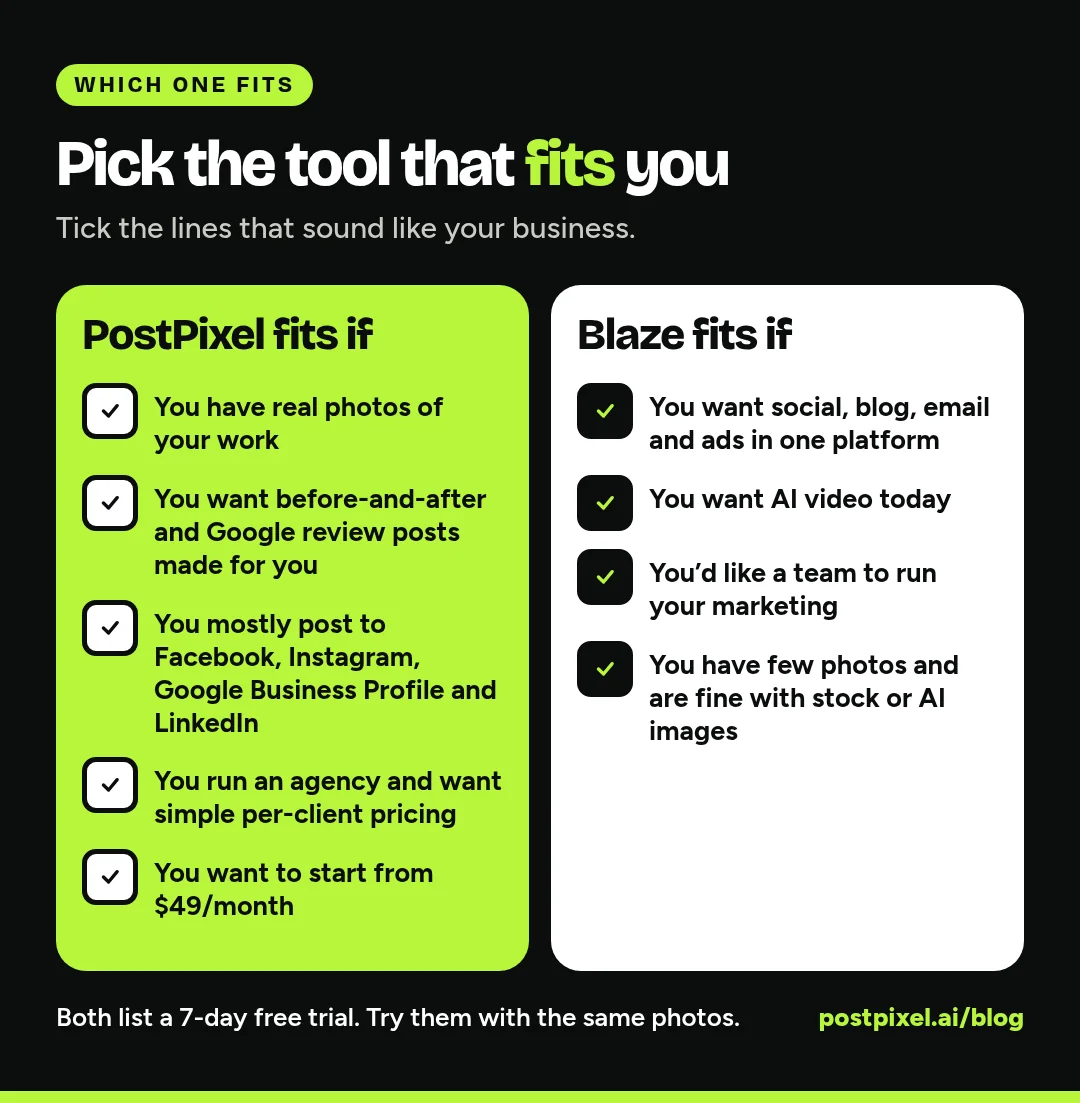
PostPixel is likely the better fit if:
- You (or your crew) already take photos of your work
- You want before-and-after posts and Google review posts made for you
- You mostly need Facebook, Instagram, Google Business Profile and LinkedIn
- You manage local clients as an agency and want simple per-client pricing
- You want to start from $49/month
Blaze is likely the better fit if:
- You want social posts, blogs, email and ads handled in one platform
- You want AI video today (PostPixel makes static image posts right now)
- You’d rather have a team run your marketing for you
- You don’t have many photos and are happy with stock or AI images
If you’re also weighing a design tool, our PostPixel vs Canva comparison covers that side.
FAQ
Is PostPixel a good Blaze AI alternative?
For local businesses that want social posts made from their own photos, yes. If you need blogs, email, ads or video from the same tool, Blaze covers more ground.
Can Blaze use my own photos?
Yes. Blaze’s help center explains how to upload your own images and videos to your Brand Kit and set Brand Kit Media Priority so Blaze uses them. You can also choose stock media or AI-generated images.
Does PostPixel use AI-generated images?
Only when you need one. Posts are made from your business photos first. If you don’t have a photo for a post, Pixel can create an image for you.
Which is cheaper, PostPixel or Blaze?
PostPixel starts from $49/month. Blaze’s software plans start at $79/month, according to its pricing page on October 29, 2026. Check both pricing pages for the current numbers.
Can I try both?
Both list a 7-day free trial. Try them with the same week of photos and see which posts you’d actually be proud to put your name on.
Try it with your own photos
The easiest way to compare is to use your real photos. Grab ten from last week, the ones sitting in your camera roll, and see what they turn into.
More than 500 companies have signed up for PostPixel, and it saves up to 20 hours a month on content. Start a 7-day free trial, upload a batch of photos and get your first posts. No contracts, and you can cancel anytime.