How to Turn Job-Site Photos Into a Month of Social Posts
Turn the job site photos your crew already takes into 20 to 30 social media posts: a shot list, a sorting system, a 4-week plan and caption formulas.

Open your phone and scroll back through last month. If you run a roofing company, an HVAC shop, a cleaning business or a pressure washing crew, you’ll find hundreds of photos. Torn-off shingles. A rusted condenser. A driveway that’s half clean and half not. Your guys loading the truck at 7 AM.
Most of those photos never leave the camera roll. That’s a waste. When it comes to social media, job site photos are the best content a local service business has. They’re real, they’re local and they prove you do the work.
This guide shows you how to turn the photos your crew already takes into 20 to 30 posts for a month. You’ll get a shot list, a way to sort photos, a four-week plan, caption formulas and a posting rhythm you can keep up when you’re busy.
Why job site photos work better than anything else
Homeowners don’t hire from a logo. They hire from proof. Before they call, most people check your Facebook page, your Google Business Profile or your Instagram to see two things: do you do good work, and are you still in business?
Job site photos answer both. A clean before-and-after shows skill. A photo from last Tuesday shows you’re active. A crew shot shows who’ll be in their driveway.
Stock photos can’t do that. Neither can a generic “Call us today!” graphic. Your camera roll can.
The shot list: what to capture on every job
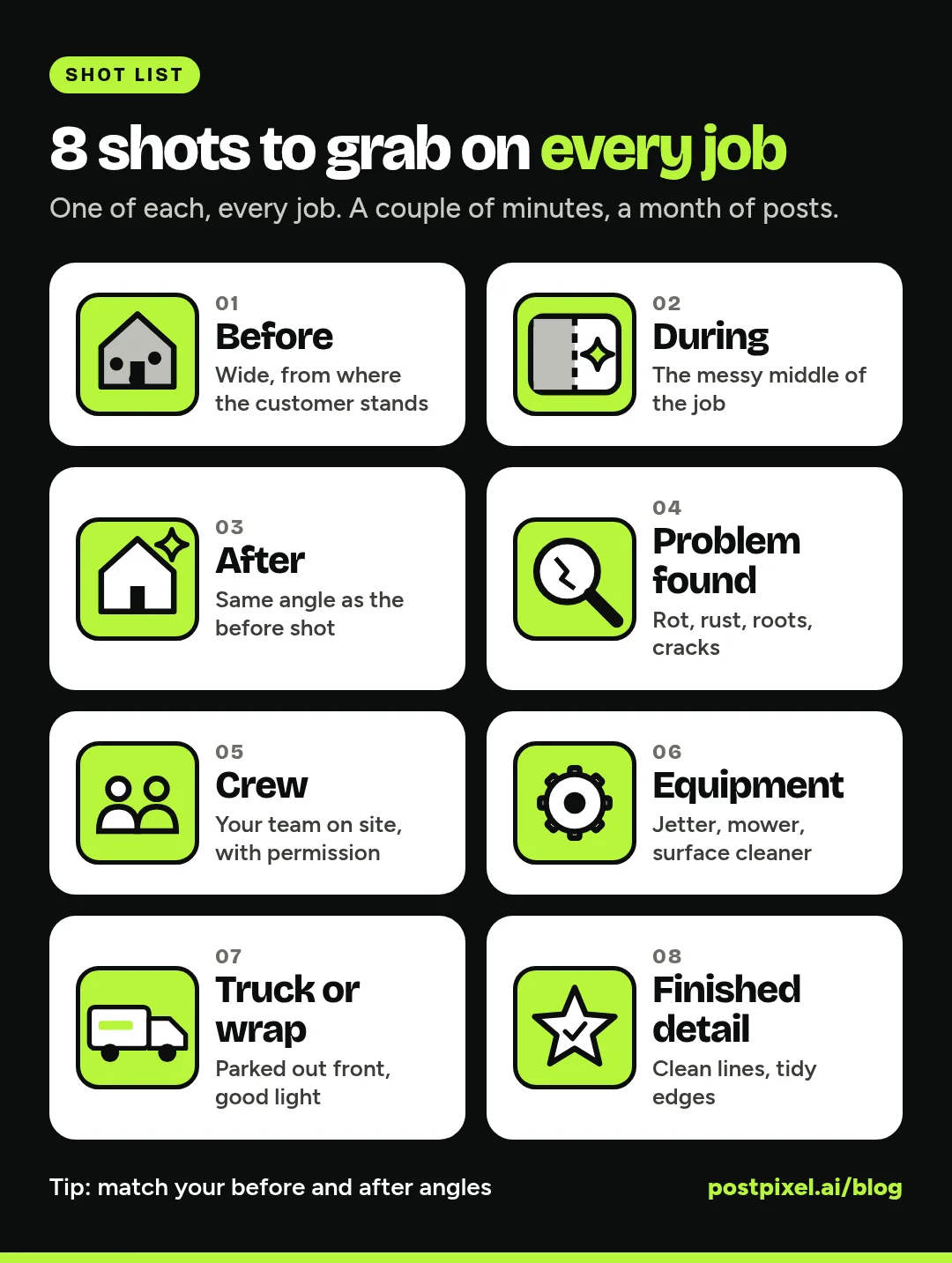
The trick is to make photos a habit, not an afterthought. Give your crew this list and ask for at least one shot from each category on every job. It takes a couple of minutes per job and gives you a full month of raw material.
1. Before
Take it from where the customer stands. The overgrown yard from the sidewalk. The stained siding from the driveway. The old water heater in the corner of the basement. Wide shots work best, plus one close-up of the worst spot.
2. During
The messy middle is interesting. Tear-off in progress. A tech with the panel open. Half a patio power-washed. People like seeing how the work actually gets done.
3. After
Same angle as the before shot. This matters more than anything else on the list. If the angles match, the before-and-after does the selling for you.
4. Problem found
The cracked heat exchanger. The roots in the sewer line. Rot under the flashing. These photos are gold for tip posts, because they show homeowners what to watch for.
5. Crew
A quick photo of the team on site, with permission. No posing needed. People want to see who’s coming to their house.
6. Equipment
The jetter, the zero-turn mower, the surface cleaner, the new lift. Equipment shots quietly say “we’re a real operation.”
7. Truck or wrap
Your truck parked in front of a nice house is a local ad by itself. Grab one whenever the light is good.
8. Finished detail
The clean line where the mulch meets the lawn. A tidy drip edge. A spotless grout line. A freshly striped yard. Detail shots are where craftsmanship shows.
Quick tips for better phone photos:
- Shoot horizontal for before-and-afters and vertical for single shots.
- Wipe the lens. Phone lenses live in pockets.
- Turn so the sun is behind you, not behind the house.
- Skip house numbers, license plates and customers’ faces unless you have permission.
How to sort your photos in 15 minutes
Once a week, or once a month if that’s all you’ve got, sort the new photos. Don’t overthink it.
- Make one album per category on your phone or in a shared drive: Before/After, Process, Problems, Team, Equipment and Truck, Details.
- Pair before and after shots right away. Name or favorite them together so you don’t hunt later.
- Delete the blurry and the dark. Keep the best one or two of each moment.
- Add a one-line note where it helps: town or neighborhood, service type, anything unusual you found.
A few busy weeks will give you 40 to 60 usable photos. That’s more than enough for a month.
A simple 4-week posting plan
Use six post types and rotate them so your feed doesn’t turn into the same before-and-after over and over:
- Before/after: your strongest proof
- Process: what the work looks like mid-job
- Tip: a problem you found, turned into advice
- Team: the people behind the work
- Local/community: your town, your neighborhoods, local events
- Offer: a seasonal special or a booking reminder
Here’s a plan built around five posts a week, which lands at about 22 posts for the month. Add a sixth or seventh post on busy weeks and you’ll reach 30.
| Week | Mon | Tue | Wed | Thu | Fri |
|---|---|---|---|---|---|
| 1 | Before/ |
Tip (problem found) | Team | Process | Offer |
| 2 | Before/ |
Finished detail | Tip | Local/ |
Truck or equipment |
| 3 | Before/ |
Process | Team | Tip | Offer |
| 4 | Before/ |
Problem found | Local/ |
Finished detail | Recap of the month |
A few rules make this work:
- Lead each week with a before-and-after. It’s your best proof.
- Keep offers to one or two a month. More than that and people tune out.
- Tie tips to the season. Gutters and furnace checks in fall, frozen pipes in winter, AC tune-ups in spring.
Caption formulas with examples
You don’t need to be a writer. You need a few formulas you can fill in.
Before/after: Problem, fix, result
“This driveway in [neighborhood] hadn’t been cleaned in years. We used a surface cleaner and a low-pressure rinse on the edges. Same concrete, new look. Want yours done before the holidays? Send us a message.”
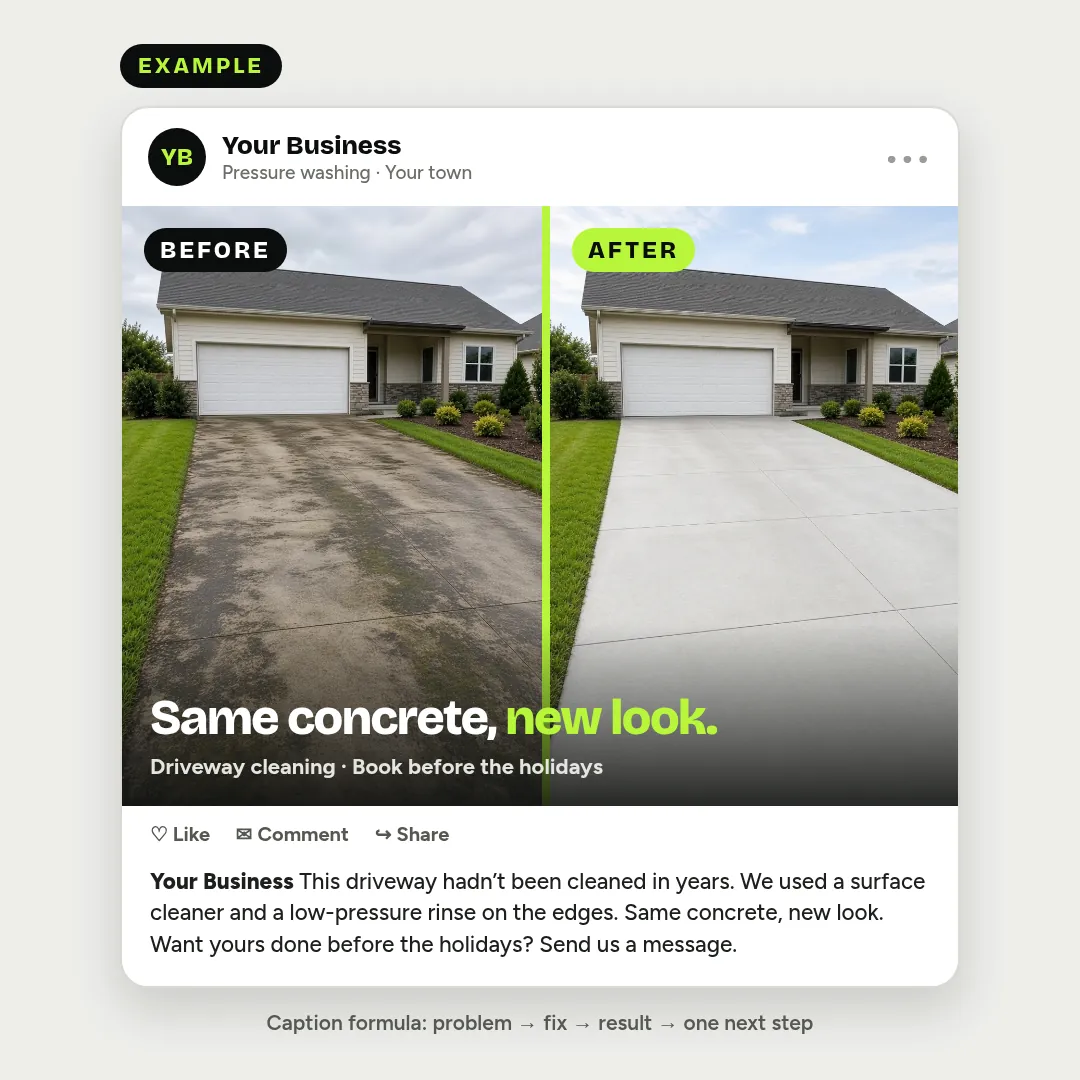
Example: what a finished before-and-after post can look like with the problem, fix, result formula. The business and photos are illustrative, not a real customer job.
Process: What’s happening and why
“Mid-job on a full tear-off today. We strip down to the deck so we can check for soft spots before the new roof goes on. You can’t fix what you can’t see.”
Tip: Sign, cause, what to do
“See the rust at the bottom of this water heater? That usually means the tank is starting to fail. If yours looks like this, get it checked before it leaks.”
Team: Name, role, one real detail
“Meet Chris, one of our lead techs. He’s the guy who’ll explain exactly what he found before he touches anything.”
(Use first names only and get their OK first.)
Local/community: Place, moment, connection
“Finished up three yards on [street name] this week. Fall cleanups are booking fast around [town]. Thanks to everyone who keeps us busy close to home.”
Offer: What, who, by when
“Booking furnace tune-ups for November. Call or message us to grab a spot before the first cold snap.”
Keep captions short. Two to four sentences is plenty. End with one clear next step: call, message or book.
Posting cadence: how much is enough?
Twenty to thirty posts a month sounds like a lot, but it’s spread across the platforms your customers actually use: Facebook, Instagram, Google Business Profile and LinkedIn if you do commercial work.
If five posts a week feels like too much right now, start with three. Steady beats busy. A page that posts three times a week every week looks more reliable than one that posts ten times in March and goes quiet until July. The extra photos just roll into next month.
For more on the weekly rhythm, see our social media playbook for home service businesses. If you need ideas for slow weeks, our list of plumbing social media post ideas works for most trades.
How PostPixel turns your photos into posts
You can do everything above by hand with a design app and a notes file. Or you can let PostPixel handle the design and captions so you only do the parts that need you.
Here’s how it works:
- Enter your website URL. PostPixel reads your site to get your services and branding.
- Confirm your business details. Check your services, service area and contact info.
- Upload your job photos. Up to 25 at a time, with no limit on the total.
- Create posts. PostPixel turns your photos into finished posts with captions, including before-and-afters, tips and offers.
- Approve and schedule. Edit anything you want, approve the posts and schedule them.
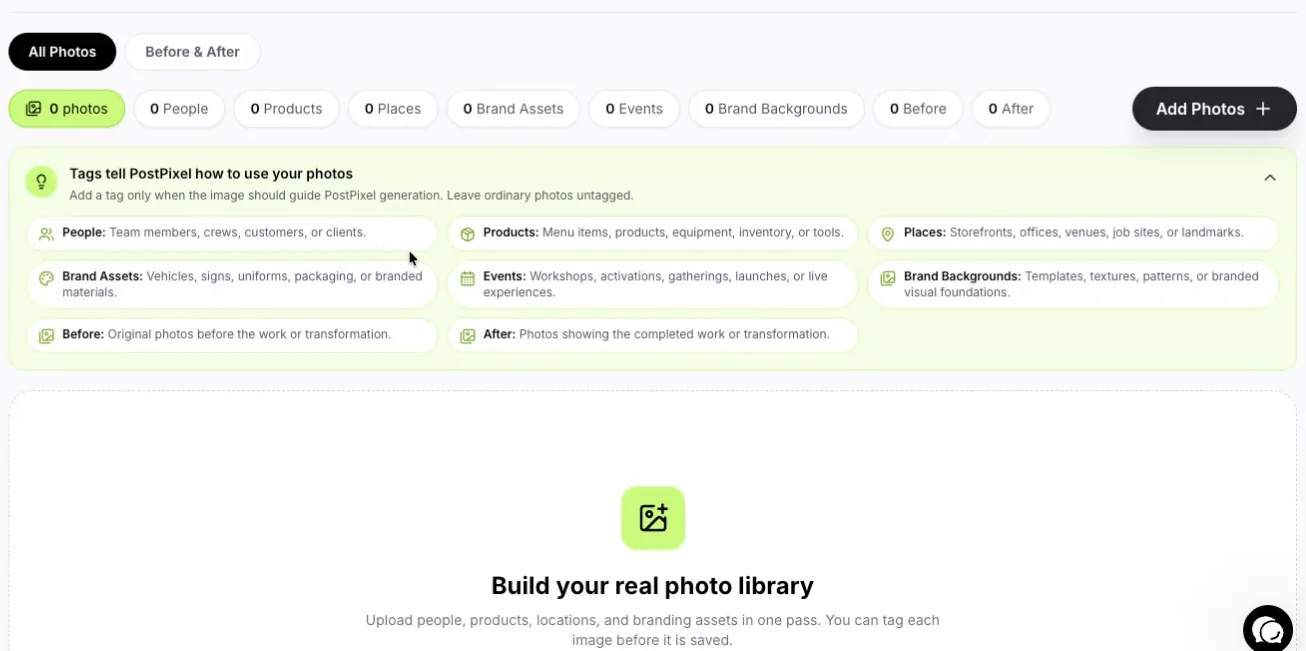
The Photo Library in PostPixel: add your job photos and tag before and after shots so they pair up.
Your Brand Kit keeps every post on brand: your logo, colors, fonts and style settings are applied automatically, so you don’t redo them each time.
Your dashboard shows how posts are doing, and a monthly coverage calendar card shows which posts are scheduled, which need approval and which are published. One look tells you whether the month is covered or has gaps.
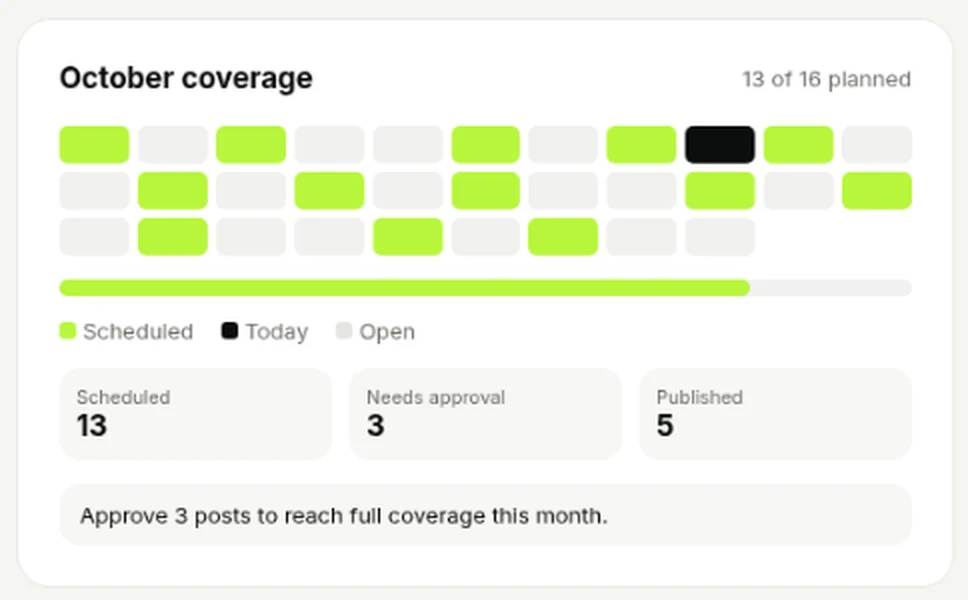
The coverage card on the PostPixel dashboard (sample workspace).
More than 500 companies have signed up for PostPixel, and it saves up to 20 hours a month on content creation. Plans start at $49 a month for Solopreneur and $79 for Teams.
For agencies running social for home service clients
If you manage social for roofers, HVAC companies or cleaning businesses, this workflow scales well, because the content already exists. Your clients’ crews are taking the photos. You just need a system to collect them and turn them into posts.
Set up each client once
Each client gets their own workspace with their own Brand Kit, so a roofing client’s posts never pick up a cleaning client’s colors.
Pick your review step
On the Teams and Agency plans, Comment & review management lets your team check posts before they go live. You can run internal QA only, or invite the client to approve posts through their own login. Client approval is optional.
Fix details without starting over
The Precision editor (Teams and Agency plans) lets you adjust one part of a post while keeping the rest.
Keep costs predictable
The Agency plan is $99 a month, plus $37 a month for each additional client workspace. For more on growing a client roster without adding late nights, read how to scale your agency with automated social media.
FAQ
What kind of job site photos work best on social media?
Before-and-after pairs taken from the same angle work best. After that, problem-found shots (for tip posts), crew photos and finished details. Clear, well-lit phone photos are fine.
How many posts can I get from one job?
Often three to five. A single job can give you a before-and-after, a process shot, a problem-found tip and a finished detail. Spread them across different weeks so your feed stays varied.
Do I need permission to post photos from a customer’s home?
It’s good practice to ask. Many service businesses add a line to their estimate or work order. Either way, keep house numbers, license plates and faces out of the shot unless the customer says it’s fine.
How often should a home service business post?
Three to five times a week works for most. Start with three if you’re new to it and add more once the photo habit sticks.
Can I reuse old job photos?
Yes. A strong before-and-after from last year can come back with a new caption, especially if it fits the season.
Your camera roll is already a content library
You don’t need a photographer or a marketing degree. You need a shot list, 15 minutes of sorting and a plan. The photos are already on your phone.
Start a 7-day free trial, upload this week’s job photos and see your first month of posts take shape. A card is required to start.