Manage Social Media for Multiple Clients Without Burning Out
How agencies manage social media for multiple local clients without burning out: one photo routine, a brand kit per client, a weekly batch rhythm.
It’s Sunday night and you’re still making posts. The roofer needs three for the week. The taco place wants something for its new special. The animal rescue has an adoption event on Saturday and hasn’t sent a single photo. You haven’t even opened the Airbnb host’s folder yet.
If you manage social media for multiple clients, you know this feeling. And here’s the thing most agency owners figure out the hard way: the posting itself isn’t what wears you down. It’s everything around it. Chasing photos. Switching between logins. Starting every post from a blank canvas. Waiting three days for a client to say “looks good.”
This guide is about fixing that part, for small agencies and freelancers working with local businesses: home service companies first, plus restaurants, nonprofits and short-term rental hosts. You don’t need a bigger team. You need a routine that’s the same for every client.
Where the hours actually go
For most agencies running local accounts, the week goes to some mix of these:
- Chasing content. Texting clients for photos, then digging through camera rolls, email threads and shared drives to find something usable.
- Context switching. A different login for every client and every platform. Every switch costs you a few minutes of “wait, which brand is this?”
- Starting from scratch. Writing, designing and resizing each post by hand, client by client.
- Approval loops. Sending drafts, waiting, revising, sending again.
- Reporting. Pulling numbers together so the client can see it’s working.
Only one item on that list is creative work. The rest is admin, and admin is where burnout comes from. The goal is to make it boring, predictable and short.
1. Give every client the same photo routine
Local businesses already have the best content: photos of their real work, their real space and their real people. Your job is to get those photos to you without a weekly chase.
Set one photo day per client and one place to drop photos. Then give each client a short list of what to send. Keep it to five or six items they can shoot on a normal day:
- Home services: a before and an after from the same spot, a mid-job shot, the truck or the crew at work, one close-up of a detail. Our guide to before-and-after posts for contractors has shot rules you can send to clients as is.
- Restaurants: the special of the week, a dish being plated, the dining room before opening, the chalkboard, one prep shot from the kitchen.
- Nonprofits: the event setup, donated items, the space they work in, a volunteer at work (with their OK), a thank-you sign.
- Airbnb hosts: each room after a turnover, the view, a seasonal touch, the welcome basket, a favorite spot nearby.
Ten seconds and a steady hand beats a perfect photo they never take. For trades clients, how to turn job-site photos into a month of social posts shows how far one week of photos can go.
2. Set up each client once, properly
The second biggest time sink is re-deciding the same things every week. What blue is their blue? Do they say “free estimate” or “free quote”? Are they okay with prices in posts?
Answer those questions once, in writing, at onboarding. For each client, keep:
- Logo files, brand colors and fonts
- Two or three lines on their voice (“friendly, no slang, always mention the service area”)
- A short do and don’t list (“say ‘free estimate,’ never ‘quote’”; “no photos of customers’ faces”)
- Which platforms you post to and how often
- Who approves posts and how fast they usually reply
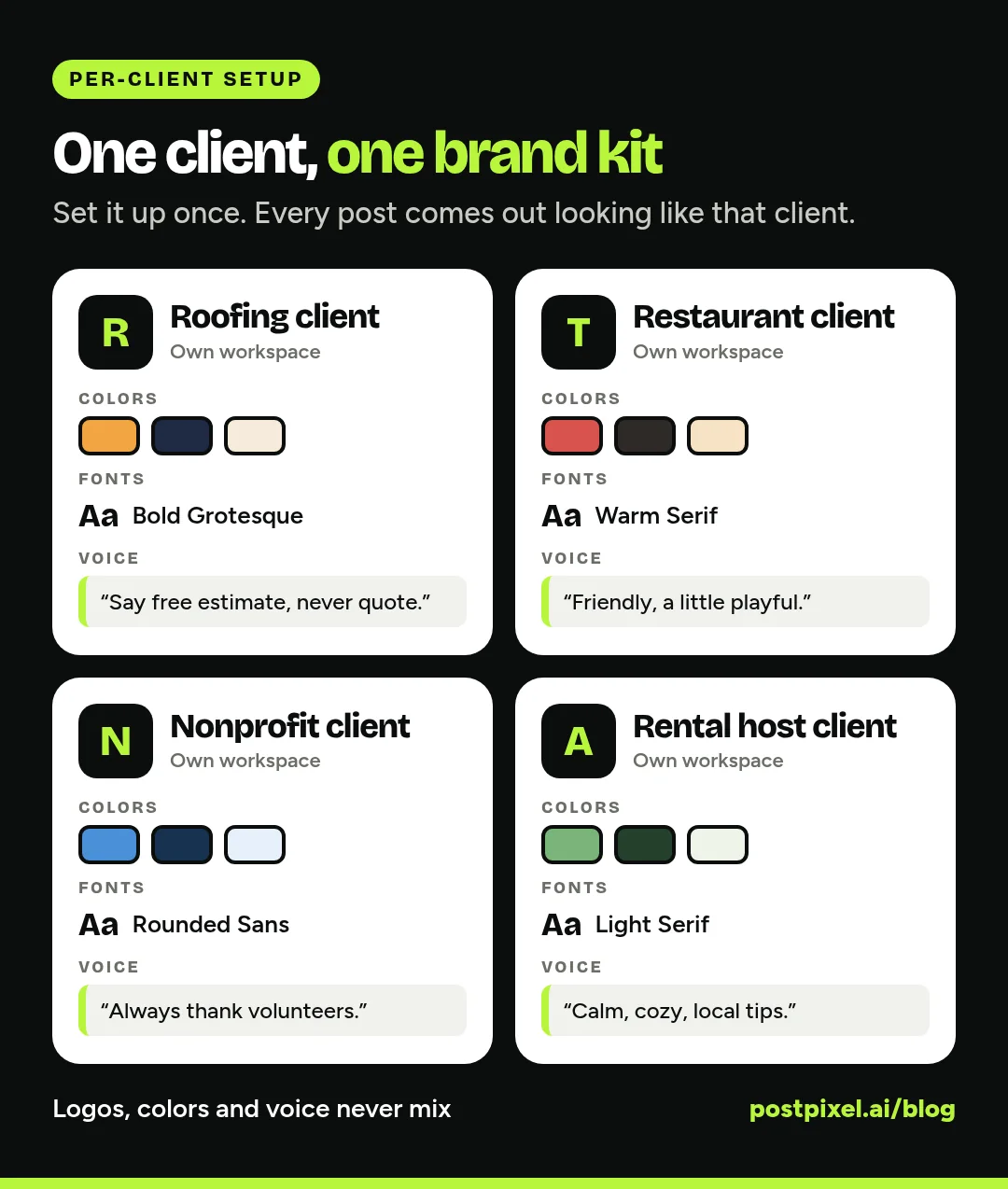
Keep each client’s setup in its own place, completely separate from the others. When everything for a client lives in one spot, you stop pasting a cleaning company’s logo onto a plumber’s post at 11 PM.
3. Batch by task, not by client emergency
Most agency weeks are run by whoever texts last. The fix is a fixed weekly rhythm where each day has one job, and you do that job for every client in a row.
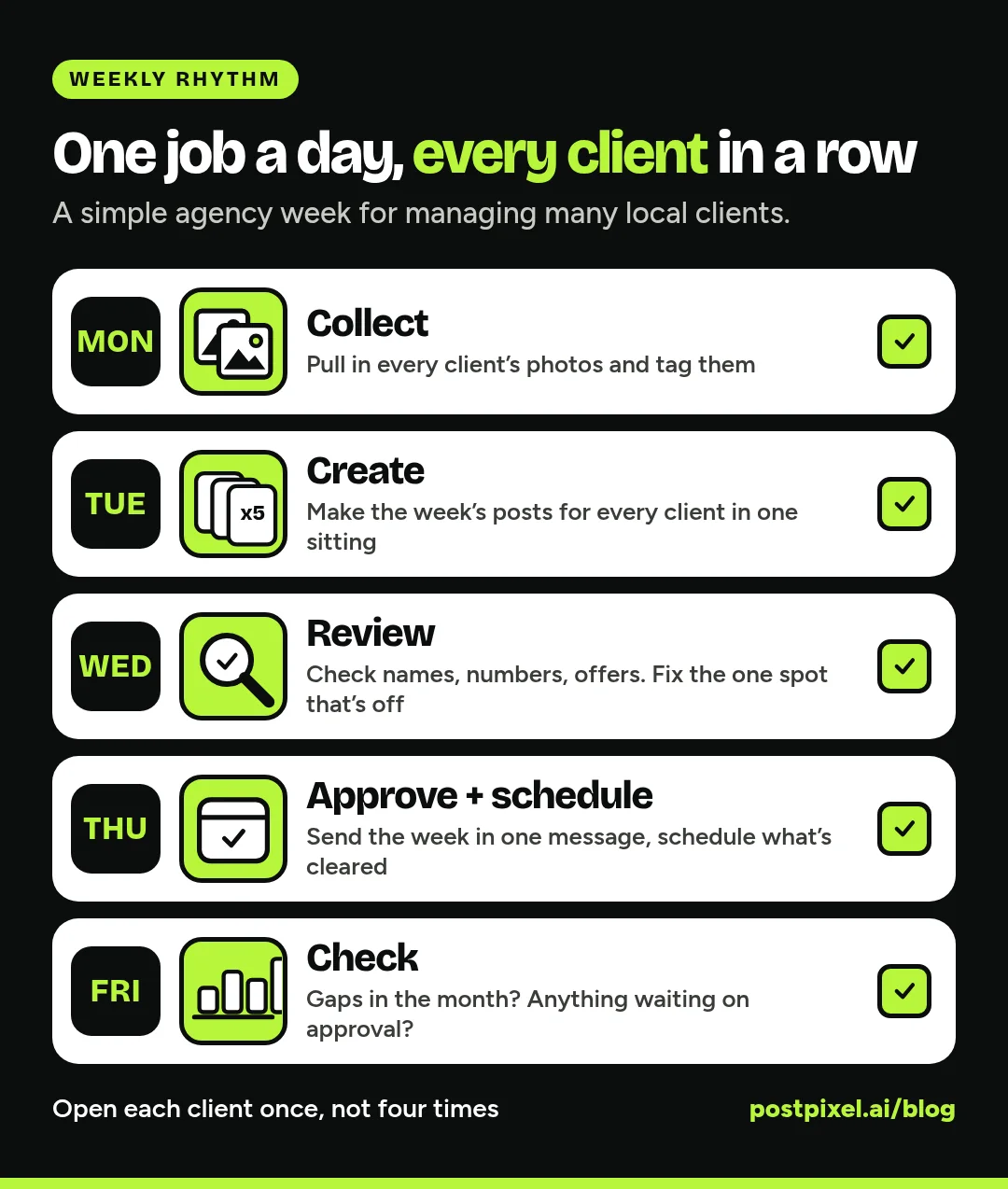
Here’s a rhythm that works for a lot of small agencies:
Monday: collect
Pull in every client’s photos and tag them as you go (before, after, team, event). If a client sent nothing, send one friendly reminder and move on.
Tuesday: create
Make the week’s posts for every client in one sitting. You’re already in “make posts” mode, so you’re not warming up five separate times.
Wednesday: review
Look at everything with fresh eyes. Check spelling, phone numbers, service areas and any offers. Fix the one thing that’s off instead of redoing the whole post.
Thursday: approve and schedule
Send posts to the clients who approve, schedule the ones that are cleared, and leave the rest of the week alone.
Friday: check
Look at each client’s month. Any gaps coming up? Anything that got no views at all? It’s quick if the numbers are in one place.
The exact days don’t matter. What matters is that you stop opening the same client four times a week.
4. Decide how approvals work before the first post
Approval loops kill more agency weekends than anything else. Settle them at the start, in the contract or the onboarding call.
- Pick an approval style per client. Some clients want to see every post. Some are happy for you to run your own quality check and just post. Both are fine. Pick one and write it down.
- Set a reply window. For example: “If we don’t hear back within two business days, we’ll post as planned.” Most clients are relieved, not annoyed.
- Cap the rounds. Two rounds of changes is plenty for a weekly post. After that, it’s a strategy conversation, not an edit.
- Batch the ask. Send the whole week in one message, not five separate messages on five separate days.
5. Keep a short content menu for each client
You don’t need a fresh idea every day. You need a short menu of post types for each client that you rotate through. For a home service company, a simple week might be one before-and-after, one tip, one team or truck post and one review or offer. A restaurant might rotate a dish, a behind-the-scenes shot, an event and a review.
Three or four posts a week, every week, beats seven posts one week and nothing the next.
6. Watch coverage, not just likes
When you have many clients, the biggest risk isn’t a weak post. It’s a client going quiet for two weeks without anyone noticing, until the client does.
Each Friday, check two things per client: is the rest of the month covered, and is anything waiting on approval? Then once a month, look at views, engagement rate and posts published compared with last month. That’s enough for a short, honest check-in call.
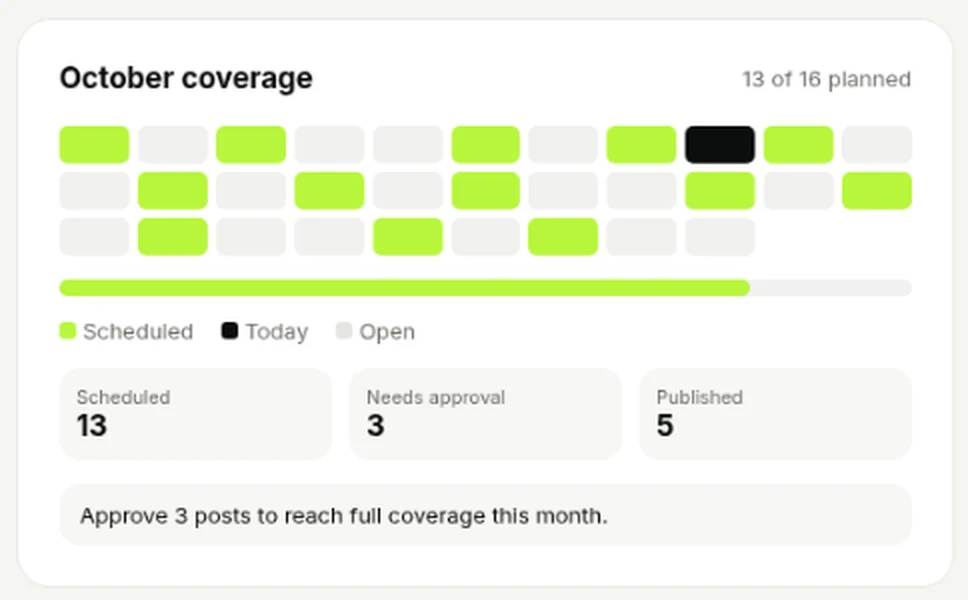
The monthly coverage card on a PostPixel workspace dashboard: you can see gaps and pending approvals at a glance.
7. Protect the parts that need a human
Automation should take production work off your plate, not the parts clients pay you for. Keep these human:
- Planning each client’s month and the offers that matter
- Replies to comments and messages, especially complaints
- Anything sensitive: an accident, a bad review, a local news story
- The relationship itself
And set your own hours in writing. Weekend posts can be scheduled on Thursday.
How PostPixel helps agencies with multiple clients
PostPixel is an AI social media tool that turns a local business’s own photos into finished, on-brand posts. For agencies, it’s built around the routine above.
- One login, one workspace per client. Switch between clients without logging out. Each client workspace has its own Brand Kit with their logo, colors, fonts, style settings and custom brand instructions. When you add a client, PostPixel pulls their name, logo, colors and services from their website and you confirm them.
- Batch from their photos. Upload a client’s photos 25 at a time, with no limit on the total. Tag them Before and After to pair them up. Then create up to 5 posts at once in that client’s brand.
- Fix one spot, keep the rest. The Precision editor (on every plan) lets you select or brush over one area of a post and change just that part.
- Review your way. On the Teams and Agency plans, Comment & review management lets your team comment on drafts and review every post before it goes out. You can run your own QA, or invite the client to approve posts through their own workspace login. Client approval is optional.
- Schedule or post now to Facebook, Instagram, LinkedIn and Google Business Profile when a client has connected it and it’s selected for that post.
- See each client’s month. Every workspace dashboard shows views, engagement rate and posts published, plus the monthly coverage calendar card.
More than 500 companies have signed up for PostPixel, and it saves up to 20 hours a month on content creation. The Agency plan is $99 a month and includes 3 client workspaces. Each extra client workspace is $37 a month. For a single business, plans start from $49 a month. There’s a 7-day free trial, and you can cancel anytime.
If you’re thinking about growth rather than just keeping up, read how to scale your agency with automated social media next.
FAQ
How many clients can one person manage on social media?
There’s no fixed number. It depends on posts per client, platforms covered and how much strategy and community work is included. Batching, a photo routine and one setup per client raise the number without raising your hours.
What’s the best way to get photos from clients?
Give every client one photo day, one drop folder and a short list of five or six shots that fit their business. Send one reminder, then work with what you have. A small, steady flow of real photos beats a big dump once a quarter.
Should clients approve every social media post?
Only if they want to. Some clients like to see everything, others prefer that you run your own QA. Agree on the approval style, a reply window and a limit on rounds of changes before the first post goes out.
How do I keep client brands from getting mixed up?
Keep each client completely separate: their own folder, their own brand kit, their own do and don’t list. In PostPixel, every client workspace has its own Brand Kit, so posts made in one workspace use only that client’s logo, colors and fonts.
What does it cost to add another client in PostPixel?
The Agency plan is $99 a month and includes 3 client workspaces. Each additional client workspace is $37 a month.
Make next week the boring one
Agency burnout rarely comes from one big disaster. It comes from a hundred small, unplanned tasks. Pick one client this week, set up their photo routine and brand kit, and run them through the Monday-to-Friday rhythm. Then add the next client.
Start a 7-day free trial, set up a workspace for one client, and see a week of their posts made from their own photos. No contracts, and you can cancel anytime.