Before-and-After Posts for Contractors: Shoot, Caption, Post
How contractors can shoot, caption and post before and after photos on social media: angle rules, 3 post formats, caption templates and a schedule.
A before-and-after is the one post a homeowner understands in half a second. Here’s the problem. Here’s what it looks like now. No explanation needed.
That’s why it’s the post most contractors try first. It’s also the post most contractors get wrong. The before is taken from the driveway and the after from the porch. One is at noon, the other at dusk. The caption says “Another happy customer!” and nothing else.
This guide covers the whole thing: how to shoot before and after photos that actually line up, which post format to use, how to write a caption that gets messages, and how often to post them without wearing out your followers. There’s also a section at the end for agencies running this for several clients.
Why before-and-after photos work so well for contractors
When someone needs a roofer, a painter or a pressure washer, they’re trying to answer one question: will this company do a good job at my house? A before-and-after answers it with proof instead of promises.
It also does a few things other posts can’t:
- It shows the size of the job. A clean deck doesn’t impress anyone. A gray, mossy deck next to the same deck stained and sealed does.
- It’s local. Homeowners recognize the style of houses, the trees and the streets. It feels like their neighborhood, because it is.
- It works everywhere. The same pair of photos works on Facebook, Instagram and your Google Business Profile.
How to shoot before and after photos that line up
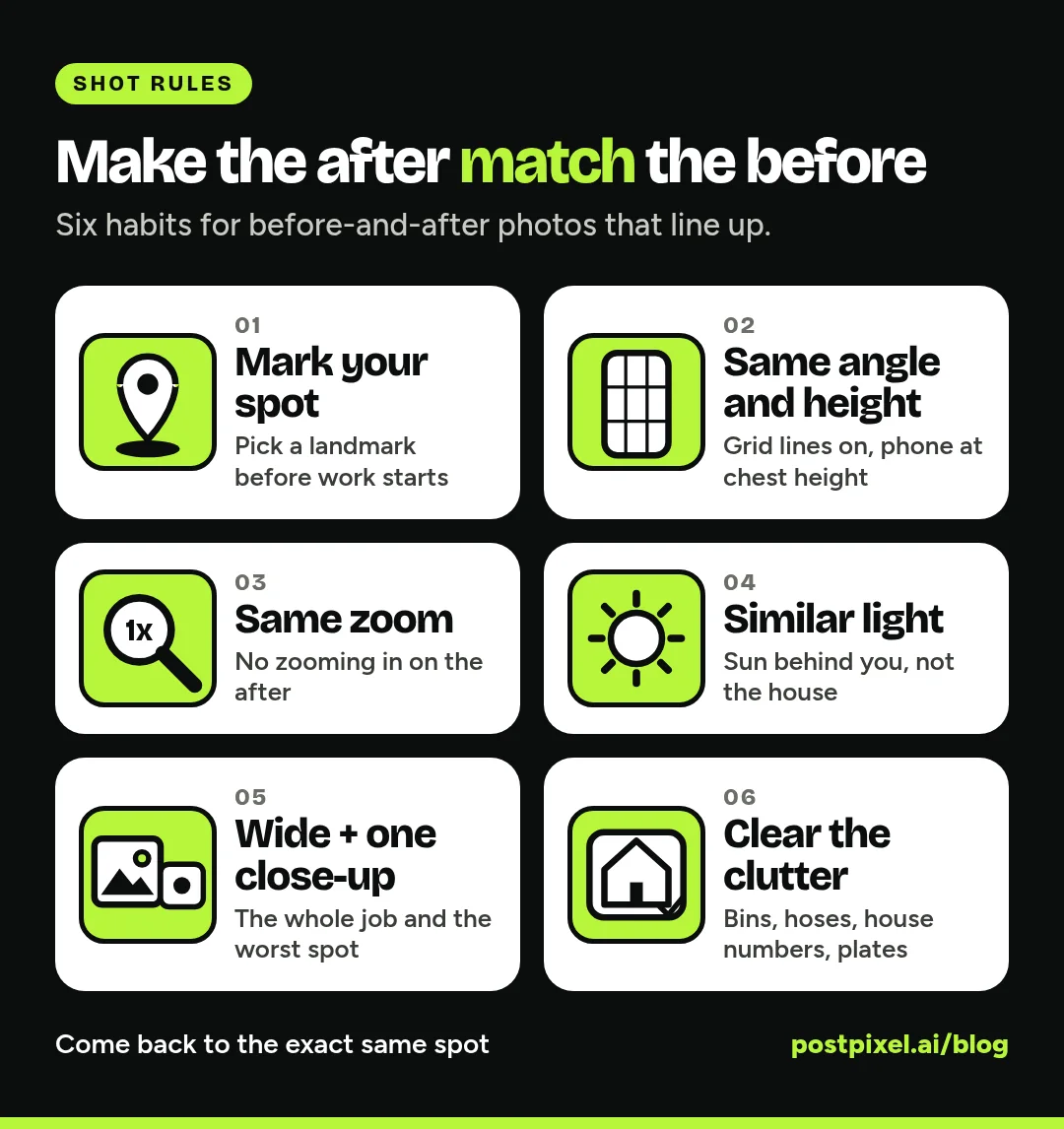
The rule that matters most: the after has to match the before. Same spot, same angle, same height, same zoom. If the two photos don’t line up, the viewer’s eye goes to the difference in framing instead of the difference in the work.
1. Mark your spot before you start
Before the first tool comes out, pick where you’ll stand. Note a landmark: the corner of the garage, the mailbox, the third fence post. When the job’s done, go back to that exact spot.
2. Keep the same angle and height
If you shot the before standing up, don’t shoot the after crouching. Hold the phone at chest height, level, and point it at the same thing in the center of the frame. Turn on your phone’s grid lines. They make it much easier to line up a roofline or a doorframe the second time.
3. Don’t zoom in on the after
It’s tempting to zoom in on the nice new work. Don’t. Use the same zoom (ideally none) for both shots. Save the close-ups for a separate detail photo.
4. Aim for similar light
You can’t always come back at the same hour, but try to avoid one photo in harsh midday sun and the other in shadow. Keep the sun behind you, not behind the house.
5. Get one wide shot and one close-up
The wide shot shows the whole transformation: the full roof, the whole kitchen, the entire driveway. The close-up shows the worst spot: the cracked tile, the rusted flashing, the oil stain. Take both before and after, and you’ve got material for a single post or a carousel.
6. Clear the clutter
Move the trash cans, the hose and the ladder out of the frame, at least for the after. Skip house numbers, license plates and faces unless you have the customer’s OK. Many contractors add a line to the estimate or work order saying job photos may be used in marketing, with no names or addresses, so nobody has to ask awkwardly at the end of the job.
Which trades this works for: almost all of them. Roofing, gutters, pressure washing, painting, yard cleanups, flooring, remodels, cleaning, junk removal, concrete. If the work changes how something looks, it’s a before-and-after.
Three before-and-after post formats
There’s no single right layout. Pick the one that fits the job.
Side by side (one image)
Before on the left, after on the right, in a single square or vertical image. This is the quickest to make and the easiest to read on a phone. Use it for jobs where the change is obvious at a glance, like a driveway, a lawn or a fresh coat of paint. Add small “Before” and “After” labels so nobody has to guess.
Carousel (swipe)
First slide is the before, second is the after, and the rest are close-ups or a mid-job shot. Carousels work well for bigger jobs with a story: a full bathroom remodel, a roof replacement, a basement waterproofing. The swipe itself creates a little moment of reveal.
Single after, with the before in the caption
Sometimes the after is the star and the before is just embarrassing (for the customer). Post the finished shot and describe the starting point in words: “This deck hadn’t been sealed in ten years.” It’s a good option when the before photo is too dark, too messy or too personal to show.
How to caption a before-and-after post
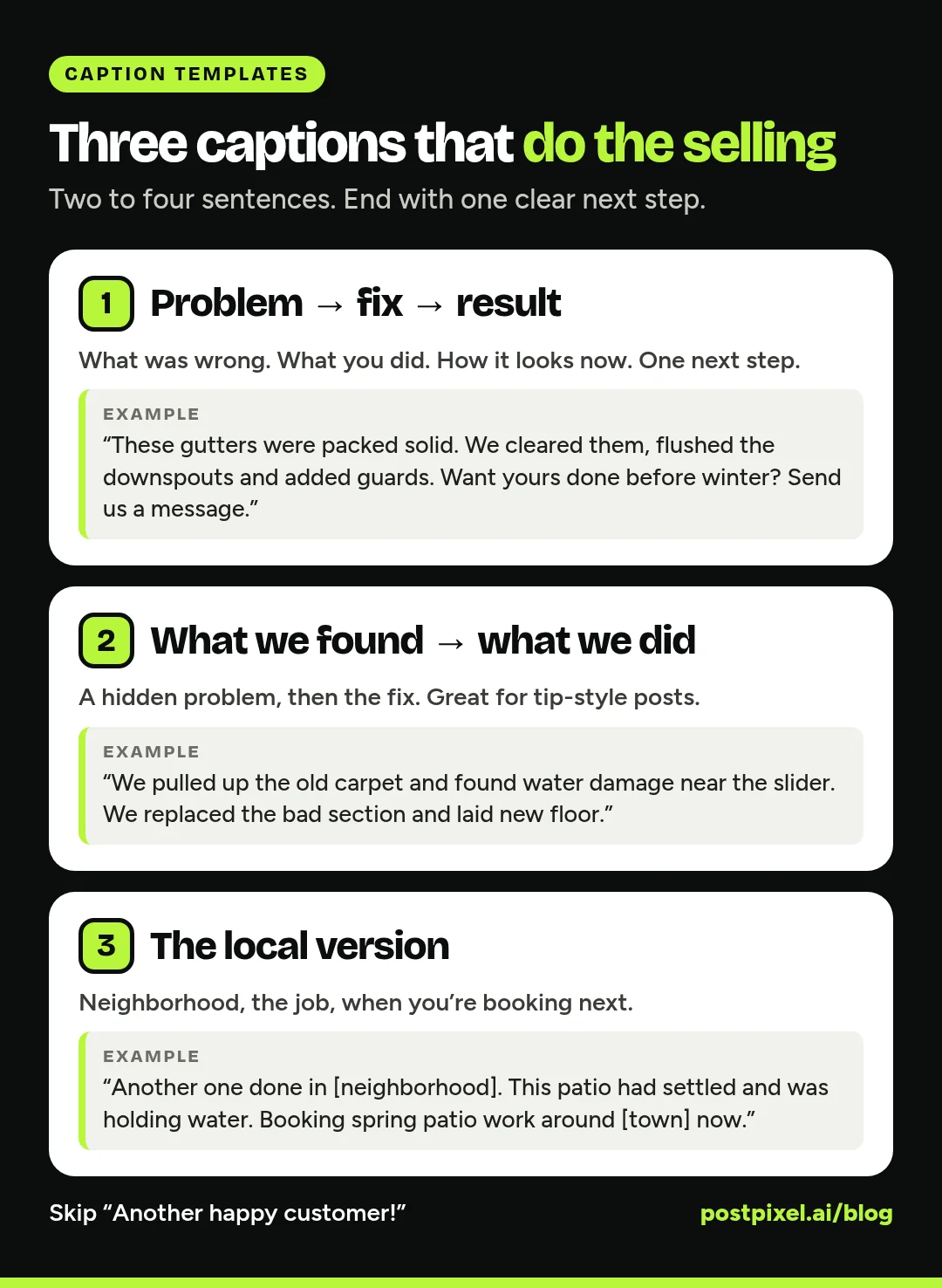
The photo does most of the work. The caption turns a “nice” into a phone call. Keep it to two to four sentences and end with one clear next step.
Formula 1: Problem, fix, result
“These gutters were packed solid and spilling over the front door every time it rained. We cleared them, flushed the downspouts and added guards. Dry entryway, no more ladder for the homeowner. Want yours done before winter? Send us a message.”
Formula 2: What we found, what we did
“We pulled up the old carpet and found water damage on the subfloor near the slider. We replaced the bad section, sealed the door threshold and laid new LVP. If you’ve got a soft spot near a door, it’s worth a look.”
Formula 3: The local version
“Another one done in [neighborhood]. This brick patio had settled and was holding water. We lifted, regraded and reset it in two days. We’re booking spring patio work around [town] now.”
A few things to leave out:
- “Another happy customer!” on its own. It says nothing about the work.
- A wall of hashtags. A handful of relevant local and trade tags is plenty.
- Prices, unless you mean it as a standing offer. A quote depends on the job, and people will screenshot it.
If you use the customer’s town or street, keep it general enough that you’re not giving away their address.
How often to post before-and-afters
Before-and-afters are your strongest posts, which makes it tempting to post nothing else. Resist that. A feed that’s 100% before-and-after starts to look like an ad, and people scroll past it.
A good rhythm for most contractors is one or two before-and-afters a week, mixed in with other posts: tips, mid-job shots, crew photos and the occasional offer. Lead the week with one, since it’s your best proof.
Got a backlog of old jobs? Space them out. A strong before-and-after from last spring can come back with a new caption when the season fits.
For a full month of post types built around your job photos, see how to turn job-site photos into a month of social posts. For the bigger picture on platforms and posting rhythm, read our social media playbook for home service businesses.
How PostPixel helps with before-and-after posts
You can make every one of these posts by hand with a design app. Or you can let PostPixel do the layout and the first draft of the caption so you only do the part that needs you: taking the photos and checking the post.
- Upload your photos. Up to 25 at a time, with no limit on the total.
- Tag them Before and After. The Photo Library has Before and After tags, so PostPixel knows which shots belong together.
- Create posts. PostPixel turns your photos into finished posts with captions, in your brand. You can create up to 5 posts at once.
- Edit, approve and schedule. Change anything you want, then schedule to the accounts you’ve connected, including Google Business Profile when it’s connected and selected for that post.
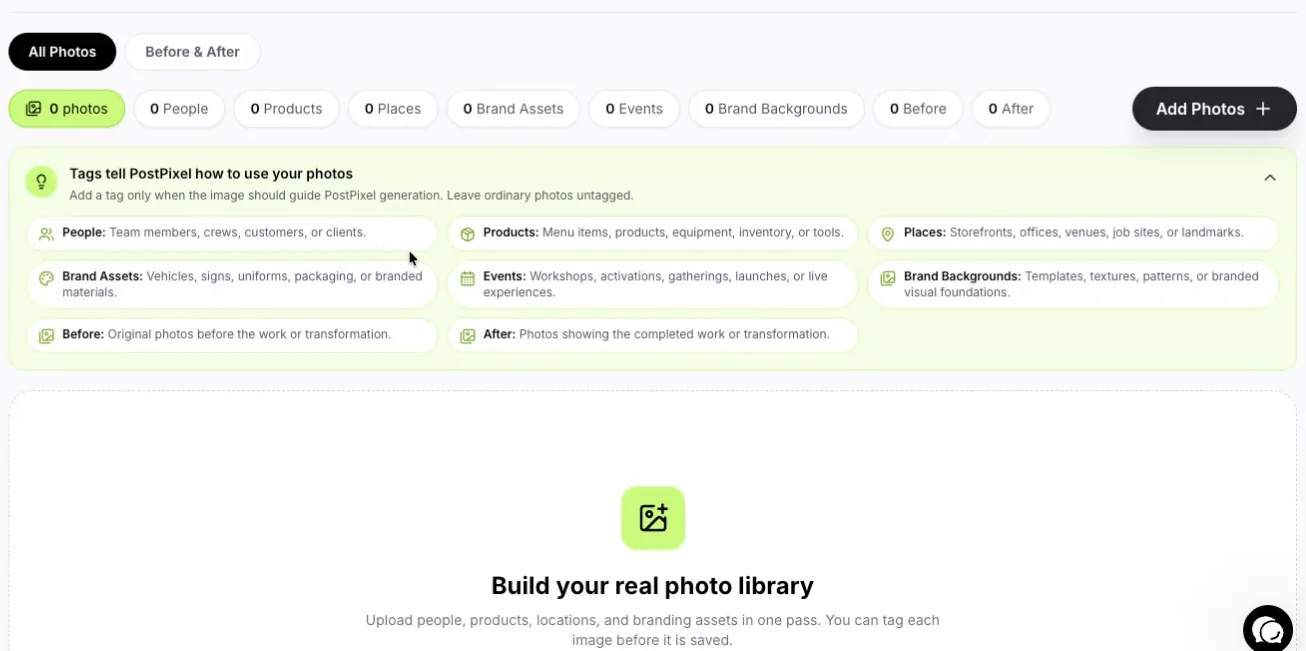
The Photo Library in PostPixel: tag your shots Before and After so they pair up.
Your Brand Kit applies your logo, colors and fonts to every post, so each before-and-after looks like it came from the same company. Your dashboard shows views, engagement rate and the number of posts you’ve published, so you can see how your before-and-afters are landing.
More than 500 companies have signed up for PostPixel, and it saves up to 20 hours a month on content creation. Plans for a single business start from $49 a month (Solopreneur), and Teams is $79 a month.
For agencies: running before-and-after posts for multiple clients
If you manage social for several home service businesses, before-and-afters are the easiest content to scale, because your clients’ crews are already taking the photos. The hard part is collecting them and keeping every client’s posts on brand.
Give each client a simple photo routine
Send every client the six shooting rules above, and ask for photos on a set day each week. One folder per client, one place to drop photos. The better the before photos, the less work you do later.
One workspace and Brand Kit per client
In PostPixel, each client gets their own workspace with their own Brand Kit. A painting client’s before-and-afters never pick up a roofing client’s colors or logo.
Pick your review step
On the Teams and Agency plans, Comment & review management lets your team check posts before they publish. You can keep it to internal QA, or invite the client to approve posts with their own workspace login. Client approval is optional. And on every plan, the Precision editor lets you select or brush over one area of a post and change just that part, without redoing the whole thing.
Keep pricing simple
The Agency plan is $99 a month and includes 3 client workspaces. Each additional client workspace is $37 a month. For more on adding clients without adding late nights, read how to scale your agency with automated social media.
FAQ
What makes a good before-and-after photo for social media?
Matching angles. Shoot the before and after from the same spot, at the same height and zoom, in similar light. Add a close-up of the worst problem area if you can.
How many before-and-after posts should a contractor share each week?
One or two is a good target for most. Mix them with tips, mid-job shots, team posts and the occasional offer so your feed doesn’t look like an ad.
Do I need the customer’s permission to post photos of their home?
It’s good practice to ask. A short line on your estimate or work order covers most cases. Keep house numbers, license plates and faces out of the shot.
Can I post a before-and-after without a good before photo?
Yes. Post the after and describe the starting point in the caption, or use a mid-job shot that shows the problem. Then add “take the before photo” to your crew’s checklist for next time.
Start with the next job
You don’t need new gear or a photographer. You need to stop at the curb for ten seconds before the work starts, and come back to the same spot when it’s done.
Start a 7-day free trial, upload a few before and after pairs, and see them turned into posts in your brand. No contracts, and you can cancel anytime.