Is Meta Business Suite Enough for a Small Business, or Do I Need a Scheduler?
Meta's free Business Suite schedules Facebook and Instagram posts and handles your inbox. For many small businesses that's enough. Here's where it stops, what a scheduler adds, and when the real problem is making the posts, not scheduling them.
For many small businesses, Meta Business Suite is enough if you only post to Facebook and Instagram and you already have the posts made. It’s free, it schedules to both at once, and it puts your Facebook and Instagram messages in one inbox. You need something more when you also want Google Business Profile or LinkedIn covered from the same place, when more than one person handles posting, or when the real problem is that nobody has time to make the posts in the first place.
That last one is the question most owners are actually asking. A scheduler solves “when does this go out.” It doesn’t solve “what do I post, and who’s going to design it.” Here’s how to tell which problem you have.
What Meta Business Suite does well
Meta Business Suite is Meta’s free tool for managing your Facebook Page and Instagram account. Meta says it’s “free to use on desktop and in the Meta Business Suite mobile app,” and lists what it covers: an overview of your business, notifications, creating and scheduling Facebook and Instagram content with a planner view, insights, an inbox for messages and comments, and ad tools (How Meta Business Suite works).
The parts that matter most to a local business owner:
- Post to Facebook and Instagram at once. If your Page and Instagram account are connected, your post goes to both by default, and you can preview how it looks on each (Meta Business Help Center).
- Schedule ahead. For your Facebook Page, Meta says you can schedule posts between 20 minutes and 29 days away, and an “Active times” option suggests when to publish (Meta Business Help Center).
- Schedule from your phone. The Meta Business Suite mobile app lets you create and schedule content, and save Facebook posts as drafts (Meta Business Help Center).
- One inbox. Messages and comments from your Facebook Page, Messenger, Instagram and WhatsApp Business account in one place.
- Insights. Basic numbers on your content and audience.
For a free tool, that’s a lot. If you’re a one-person cleaning company or a small café and your customers are on Facebook and Instagram, you could stop reading here and be fine.
Where Meta Business Suite stops
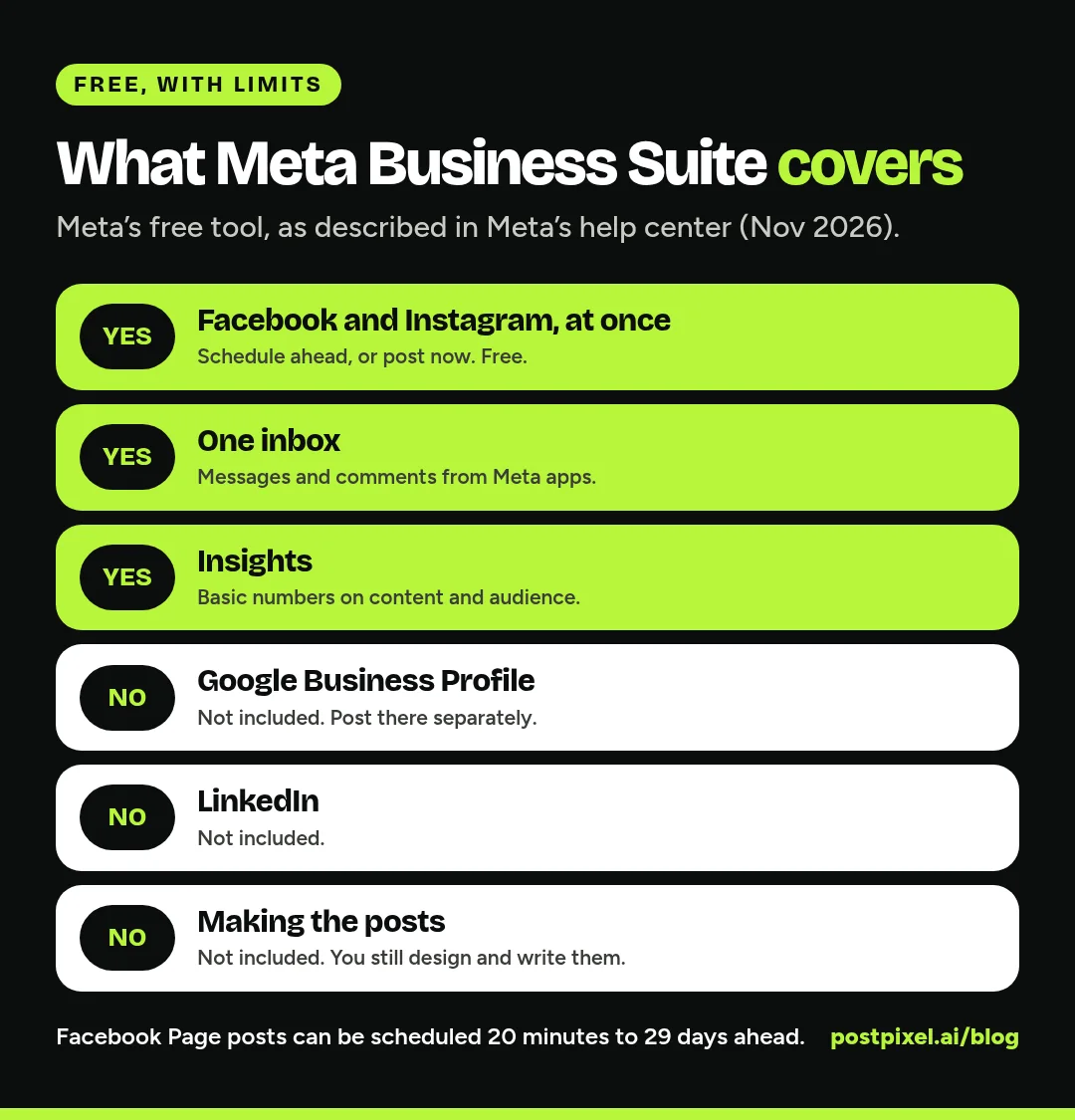
It’s Meta’s tool, so it covers Meta’s apps. A few gaps show up for local businesses:
1. Google Business Profile isn’t in it
For a lot of local service businesses, Google Business Profile matters as much as Facebook. It’s what shows up when someone searches “plumber near me” or looks you up on Maps. Google lets you post updates, offers and events to your profile, and says posts show on Search and Maps, with posts older than six months archived unless a date range is set (Google Business Profile Help). You can post and schedule from inside your Business Profile, but that means a second place to post the same thing.
2. LinkedIn isn’t in it
If you do commercial work, sell insurance or run an agency, LinkedIn may matter. That’s another separate app.
3. It doesn’t make the posts
Meta Business Suite gives you a place to put a post. You still need the image, the caption and the idea. Meta does offer AI help with content ideas, but you’re still the designer. For most owners, that’s the part that takes the time.
4. Team workflows are basic
You can give people access to your Page and Instagram, but if you want someone to draft and someone else to approve before anything goes out, dedicated tools handle that more clearly.
5. The 29-day window
Scheduling a Facebook post up to 29 days ahead is fine for most businesses. If you like to load a whole season at once, you’ll hit it.
Do you have a scheduling problem or a making problem?
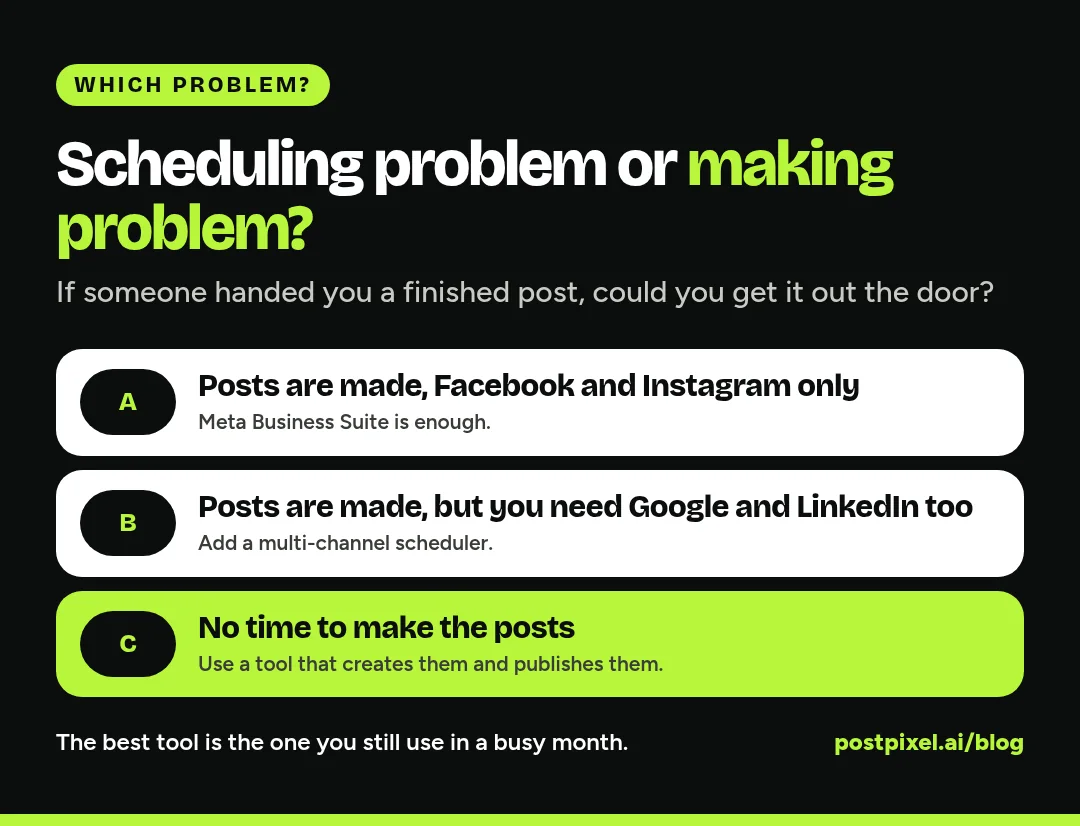
Ask yourself one honest question: if someone handed you a finished, branded post every few days, would you have any trouble getting it out the door?
- No trouble? You have a making problem, not a scheduling problem. A new scheduler won’t help.
- Yes, because I post to four places? You have a scheduling problem. A multi-channel scheduler helps.
- Both? You want a tool that makes the posts and publishes them.
For a lot of owners, it’s the making. The posting isn’t hard. Sitting down at 9 PM to design something and write a caption is.
Your options, from free to done-for-you
Stay on Meta Business Suite (free)
Best if: you only need Facebook and Instagram, you’re happy designing your own posts (in Canva, on your phone, wherever), and you post a few times a week.
Add Google Business Profile by posting there directly once a week. It’s a few extra minutes.
Add a multi-channel scheduler
Schedulers like Buffer put many channels in one place. As of November 16, 2026, Buffer’s pricing page lists a Free plan with up to 3 channels and 10 scheduled posts per channel, Essentials at $5/month per channel ($60 billed yearly) and Team at $10/month per channel ($120 billed yearly), and shows Google Business Profile and LinkedIn pages among the channels it can publish to automatically (buffer.com/pricing).
Best if: your posts are already made and you need Facebook, Instagram, Google Business Profile and LinkedIn from one place, or a team approval step (Buffer lists approval workflows on its Team plan).
It still doesn’t make the posts. For a fuller look, see our comparison of the best tools for a cleaning business, which applies to most local service businesses.
Design and schedule in Canva
Canva’s pricing page (checked November 16, 2026) lists Canva Pro at US$144/year for one person with “social scheduling” included, and Canva Business at US$250/year per person (canva.com/pricing). It’s great if you like designing. You’re still the designer and the copywriter. We compared the two approaches in PostPixel vs Canva for service businesses.
Use a tool that makes the posts for you
This is where PostPixel fits, and it’s our product, so keep that in mind.
You add your website, and PostPixel sets up your brand kit: logo, colors, fonts and voice. Then it creates up to five branded posts at once, with captions in your voice: tips, promotions, informational posts, before-and-afters, business photo posts and your Google reviews as posts. Use your own photos if you have them, or let PostPixel create the visuals. Fix any spot with the precision editor (only that spot changes), approve, then publish now or schedule to Facebook, Instagram, Google Business Profile and LinkedIn. The dashboard’s coverage calendar card shows which days you have posts covered.
Pricing, from postpixel.ai/pricing: a Free plan with 3 AI-generated branded posts a month (plus 2 bonus posts in your first month), with a PostPixel watermark, for 1 business and 1 social account. Paid plans start from $49/month (Solopreneur), Teams is $79/month with team members and review tools, and Agency is $99/month with 3 workspaces, then $37/month each. Paid plans start at $0.99 for your first week.
500+ companies have signed up, and PostPixel saves up to 20 hours a month.
Side by side
| Meta Business Suite | Buffer | Canva Pro | PostPixel | |
|---|---|---|---|---|
| Makes the posts for you | No | No | No (you design) | Yes, up to 5 at once |
| Facebook and Instagram | Yes | Yes | Yes | Yes |
| Google Business Profile | No | Yes | Check Canva’s current list | Yes |
| No | Yes | Check Canva’s current list | Yes | |
| Messages and comments | Inbox for messages and comments | Comment replies | No | Comment and review management on Teams and Agency |
| Starting price (Nov 16, 2026) | Free | Free, then $5/ |
US$144/ |
Free plan, paid from $49/ |
Prices from each tool’s public pricing page on November 16, 2026. They change, so check before you buy.
A simple way to decide
- Write down every place you want to post. If it’s only Facebook and Instagram, start with Meta Business Suite.
- Count the hours. Track how long it takes you to make one week of posts. If it’s more than you can keep giving, a scheduler won’t fix it.
- Try the free tiers first. Meta Business Suite, Buffer’s Free plan and PostPixel’s Free plan all cost nothing to try.
- Pick the one you’ll still use in a busy month. The best tool is the one that doesn’t stop when you get busy.
FAQ
Is Meta Business Suite free?
Yes. Meta says Meta Business Suite is free to use on desktop and in its mobile app. You need a business portfolio set up with your Facebook Page and Instagram account.
Can Meta Business Suite post to Google Business Profile?
No. It covers Meta’s apps: Facebook, Instagram and related tools like Messenger and WhatsApp Business. Post to Google Business Profile from your profile directly, or use a tool that publishes there.
How far ahead can I schedule posts in Meta Business Suite?
For a Facebook Page, Meta’s help center says between 20 minutes and 29 days ahead.
Do I need a social media scheduler for a small business?
Only if you post to several channels beyond Facebook and Instagram, or need a team approval step. If your problem is finding time to make posts, a scheduler alone won’t fix it. Look at tools that create the posts too.
What’s the cheapest way to post to Facebook, Instagram and Google Business Profile?
Free: Meta Business Suite for Facebook and Instagram, plus posting directly on your Google Business Profile. That costs time instead of money. Paid tools save the time by putting everything in one place, or by making the posts for you.
Make the posting the easy part
If the scheduling was never the hard part, try having the posts made for you. Start free with PostPixel, or try Solopreneur for $0.99 for your first week.