What Should a Small Nonprofit Post on Facebook?
One staff member, a few volunteers and a Facebook Page that keeps going quiet? Here are the five posts that carry a small nonprofit, a 30-minute weekly routine and an honest look at the free and paid tools.
A small nonprofit should post three things on Facebook, over and over: the difference you made this week, the people who made it happen, and one clear way someone can help next. Two or three posts a week built from those three ideas is plenty, and you can make a whole week of them in about 30 minutes if you batch them on the same day.
You don’t need a content calendar with 20 categories or a video studio. You need a short rotation you can keep up when the grant report is due and the volunteer coordinator is out sick. This guide gives you that rotation, a weekly routine, the consent rules that protect the people you serve, and an honest look at the tools, including the free ones.
The short answer
If you only remember one thing: every post should either show impact, thank someone or make one clear ask. Mix them so the ask is never more than about one post in three. People give and volunteer for organizations they’ve watched doing good work, so the impact and thank-you posts are what make the ask work.
A good starting rhythm for a team of one or two:
- 2 posts a week as your floor, even in your busiest month
- 3 posts a week when things are steady
- An extra post or two around a big event, a giving day or a campaign deadline
Consistency beats volume. A Page that posts twice a week for a year looks alive and trustworthy. A Page that posts every day for three weeks and then goes silent for two months looks like it might have closed.
The five posts that carry a small nonprofit
These five post types cover almost everything a small organization needs to say. Rotate through them and you’ll never stare at a blank screen wondering what to post.
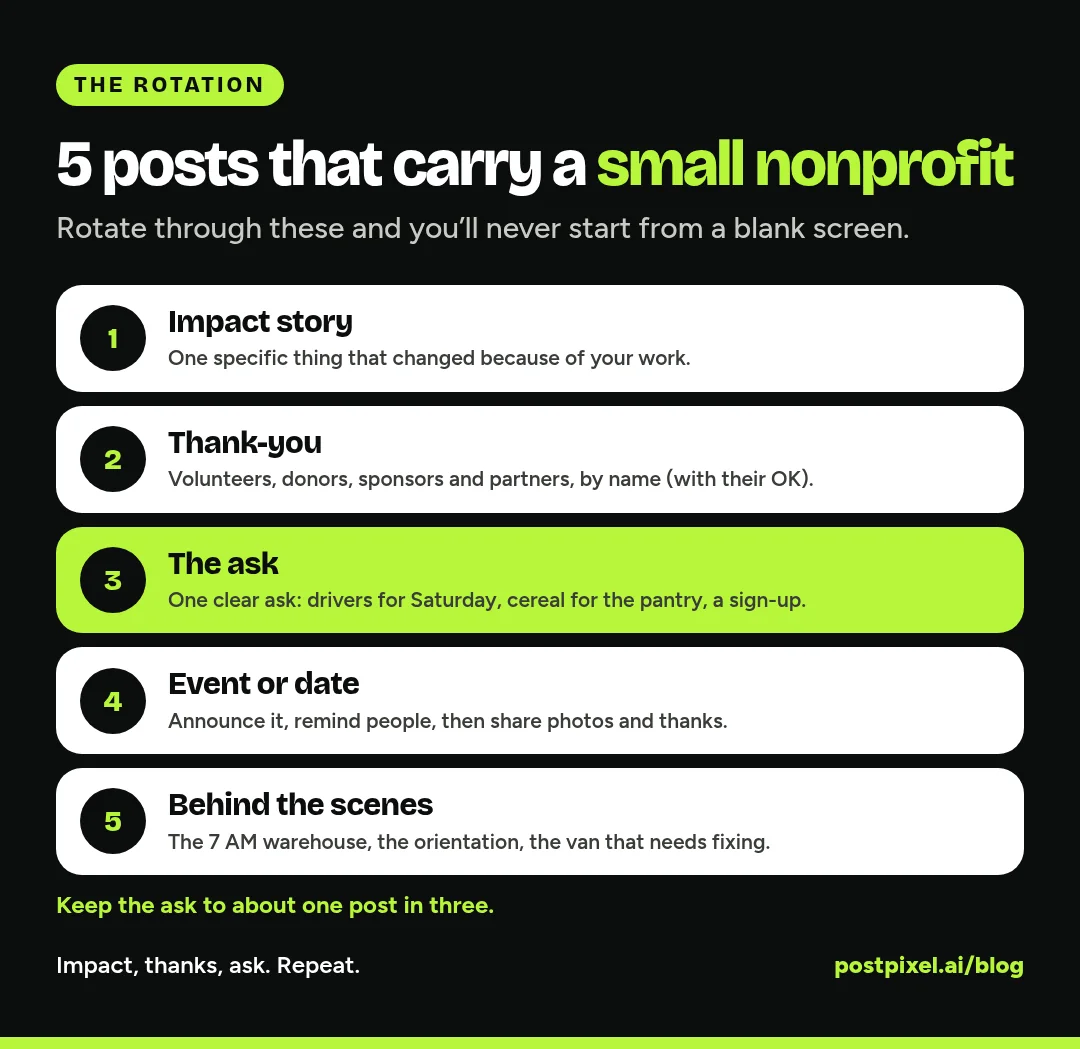
1. The impact story
This is your most important post. Show one specific thing that happened because your organization exists. Not “we serve hundreds of families,” but “On Saturday, 40 volunteers packed weekend food bags for kids at Lincoln Elementary.”
Ideas:
- A number from this week or month, with what it means (“62 dogs adopted in October. That’s 62 kennels opened up for the next ones”)
- A before and after: the empty lot and the community garden, the bare shelf and the full one
- A short story about one moment, with permission (more on consent below)
- A milestone: your 100th tutoring session, your first year in a new building
Keep the numbers real and countable. If you aren’t sure of a figure, leave it out or round it down.
2. The thank-you
Thank volunteers, donors, sponsors, local businesses and partner organizations by name, if they’ve said it’s OK. Thank-you posts do two jobs: they make the people who helped feel seen, and they show everyone else that real people already trust you.
Ideas:
- Volunteer of the month, with a photo and one sentence in their own words
- A local business that donated food, space or prizes (tag their Page so their followers see it too)
- A “thank you” after a fundraiser with the total raised and what it will pay for
- A shout-out to a board member, a long-time donor or a partner group
Tagging local businesses is one of the easiest ways for a small Page to reach new people, because the business often shares the post with its own followers.
3. The ask
One clear ask per post. Not “donate, volunteer, share and come to our gala.” Pick one.
Ideas:
- A specific volunteer need: “We need 6 drivers for Saturday morning deliveries”
- A specific item: “Our pantry is out of cereal and peanut butter”
- A donation with a concrete result: “Your gift of [AMOUNT] covers [WHAT IT PAYS FOR],” using real figures from your own budget
- An event sign-up or a giving day reminder
Always include the link or the exact next step, and say when the need ends so people feel the urgency honestly.
4. The event or date
Events give you an easy reason to post several times: the announcement, a reminder a week out, a “tomorrow!” post, and photos and thanks afterward. That’s four posts from one event.
Don’t forget the dates your community already cares about: back to school, the first cold week, the holidays, local festivals and national awareness days that genuinely fit your cause. Only use an awareness day if you have something real to say about it.
5. Behind the scenes
Show the work people don’t see: the warehouse at 7 AM, the volunteer orientation, the van that needs a new transmission, the staff member answering the help line. These posts make your organization feel human, and they quietly explain where the money goes.
They’re also the easiest posts to make. A phone photo of your team sorting donations with a two-line caption is a perfectly good post.
Consent comes first
Nonprofits often serve people at hard moments: families in need, patients, kids, people in recovery, animals with owners still looking for them. Before you post anything, ask: would this person be comfortable seeing this post next to their name, forever?
Simple rules that protect people and your reputation:
- Get written permission before posting a photo, name or story of anyone you serve. Use a simple release form your board or lawyer has approved.
- Kids need a parent or guardian’s written consent. Many organizations simply don’t show the faces of the children they serve.
- Change details in stories when you need to, and say so (“names changed for privacy”).
- Avoid “poverty photos.” Show people with dignity, as partners in the work, not as props for a fundraising ask.
- Check your own rules. If you work in health, schools or with vulnerable people, your funders, partners or regulations may have their own privacy rules. Follow the strictest one.
When in doubt, post the volunteers, the place or the result instead of the person. A full pantry shelf tells the story without exposing anyone.
A 30-minute weekly routine
Here’s a routine one person can keep up. Do it on the same day each week. Monday morning works well because you can plan around the week’s events.
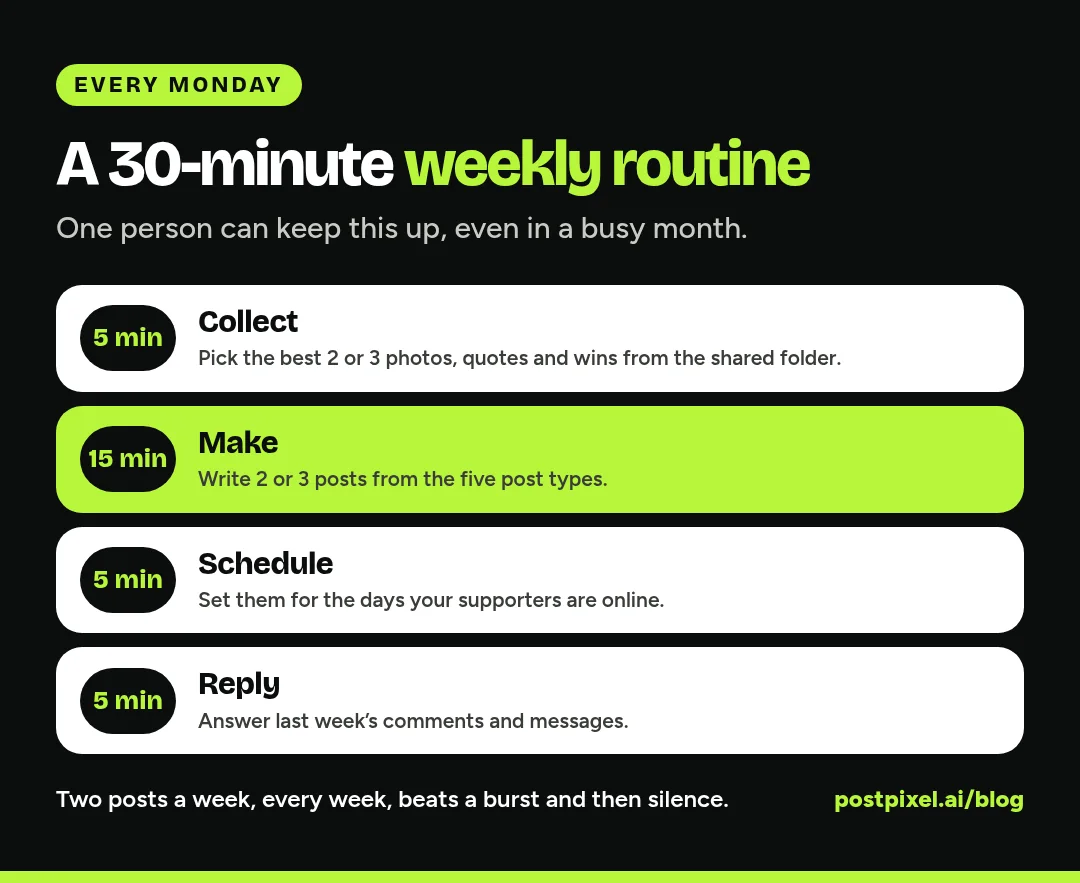
- Collect (5 minutes). Ask staff and key volunteers to drop photos, quotes and wins into one shared folder or group chat during the week. On Monday, pick the best two or three.
- Make (15 minutes). Write two or three posts using the five types above. One impact or behind-the-scenes post, one thank-you and, if you need one, one ask.
- Schedule (5 minutes). Schedule the posts for the days and times your supporters are online. Meta’s free Business Suite lets you create and schedule Facebook and Instagram posts and see them on a calendar (How Meta Business Suite works).
- Reply (5 minutes). Answer comments and messages from the past week. A quick, warm reply to a donor’s comment is worth more than another post.
If you have more time some weeks, use it to build a small bank of evergreen posts (your mission, how to volunteer, what a donation pays for) that you can drop in on a busy week.
Don’t skip Google Business Profile
If your nonprofit has a physical location, such as a food pantry, thrift store, shelter or clinic, people will look you up on Google to find your hours and address. Google lets organizations post updates, offers and events right on their Business Profile, and those posts show on Search and Maps (Google’s help page on Business Profile posts). Google also lets you schedule a post ahead of time from your profile.
Your event and “new hours” posts are perfect for this. Post them on Facebook and on Google at the same time and you’ll catch both your followers and people searching for you.
The tools: what a tiny team actually needs
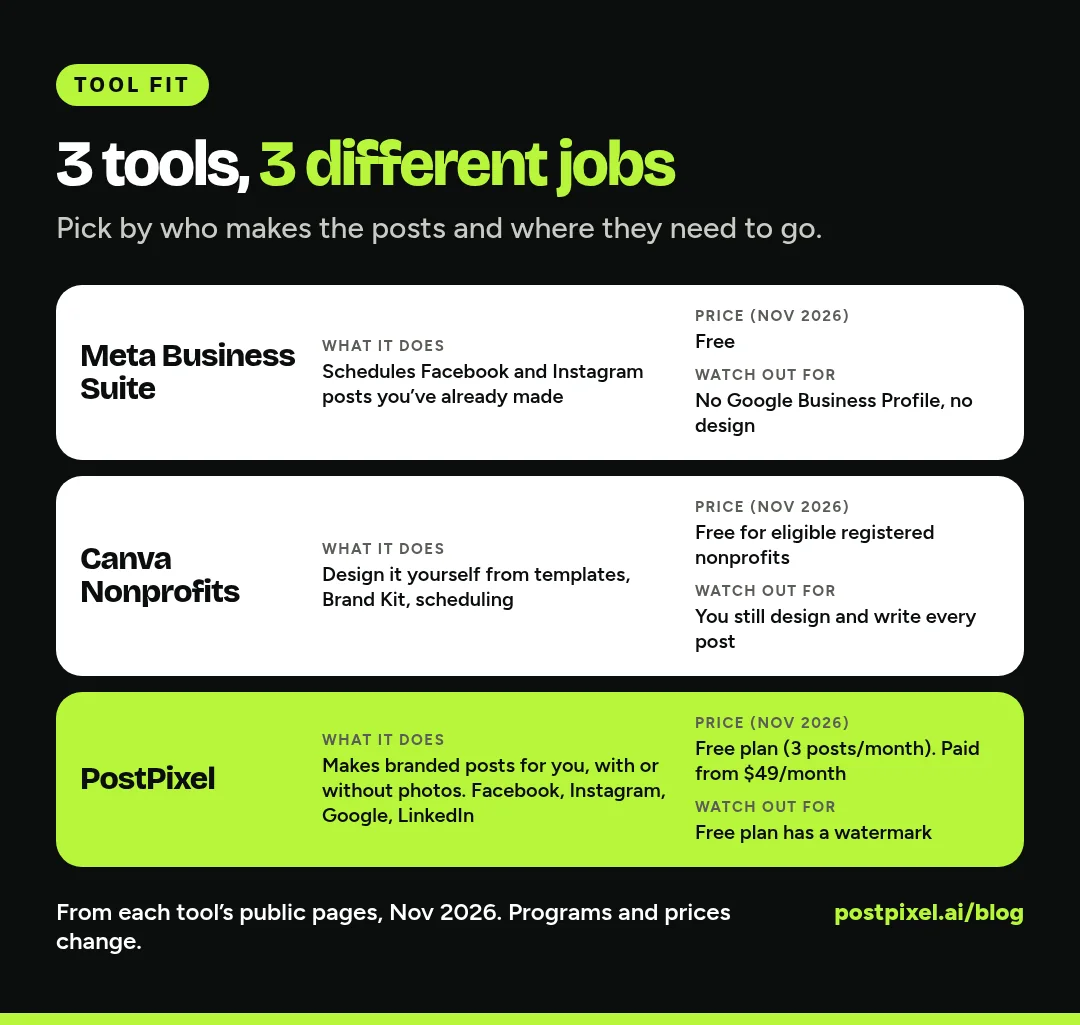
Here’s an honest look at three options, including two that are free. Everything we say about other tools comes from their public pages, checked in November 2026. Programs and prices change, so check before you sign up.
Meta Business Suite: free scheduling for Facebook and Instagram
Meta’s own tool is free on desktop and in its mobile app. You can create and schedule Facebook and Instagram posts, see them in a calendar view, and handle messages and comments from one inbox (How Meta Business Suite works).
Best for: organizations that only post on Facebook and Instagram and already have their posts ready.
Watch out for: it doesn’t design your posts for you, and it doesn’t post to Google Business Profile.
Canva Nonprofits: free design for eligible organizations
Canva’s nonprofit program gives eligible registered nonprofits free access to Canva Pro features, plus collaboration for one team of up to 50 users. Canva says eligible organizations must be officially registered charitable nonprofits (like a 501(c)(3) in the US), and lists government agencies, political organizations, educational institutions, most other 501(c) types and grant-making foundations as not eligible (Canva Nonprofits).
If you qualify, this is a genuinely great deal. You get templates, a Brand Kit for your logo and colors, and social scheduling.
Best for: teams with someone who enjoys design and has a little time each week.
Watch out for: you’re still the designer and the copywriter for every post. If nobody on your team likes design, a free design tool can still sit unused.
PostPixel: branded posts made for you
PostPixel is our product, so weigh this section with that in mind. It’s built for small local organizations that don’t have time to design.
You add your website, and Pixel, PostPixel’s AI, pulls in your name, logo, colors and what you do, for you to check. Then it makes branded posts with captions in your voice, up to 5 at a time, for Facebook, Instagram, Google Business Profile and LinkedIn. You don’t need a photo for every post. If you have photos from this week’s event, Pixel uses them. If you don’t, it can create the imagery for you. You approve, schedule or post now.
Things that help a tiny nonprofit team:
- Informational and educational posts for hours, events, how to volunteer and what you do
- Google review posts: your Google reviews can become branded thank-you style posts
- Review before it goes live: on Teams and Agency plans, teammates can comment on and review posts before they’re published, which is handy if your executive director wants a quick look first
- Google Business Profile from the same place as Facebook and Instagram
Pricing: there’s a free plan with 3 branded posts a month (plus 2 bonus posts in your first month), with a PostPixel watermark, for 1 business and 1 social account. Paid plans start from $49/month (Solopreneur), Teams is $79/month, and Agency is $99/month with 3 workspaces, then $37/month for each additional one. Paid plans start at $0.99 for your first week.
Best for: small teams that want good-looking posts done in minutes and need Google Business Profile as well as Facebook.
Watch out for: if you qualify for Canva Nonprofits and have a volunteer who loves designing, that free combination may be all you need. We’d rather you pick the tool you’ll actually use.
Mistakes small nonprofits make on Facebook
- Only posting when you need money. If every post is an ask, people scroll past. Earn the ask with impact and thank-you posts.
- Posting big, vague numbers. “Serving thousands since 1998” is easy to ignore. “Fed 212 families this week” is not.
- Forgetting the link. Every ask needs the exact next step: a sign-up link, a donate link, an address and time.
- Letting the Page go dark. Two posts a week, every week, beats a burst of daily posts followed by silence.
- Posting people without permission. It can hurt the people you serve and the trust you’ve built. Get it in writing first.
- Ignoring comments. A donor who comments and hears nothing back is less likely to give again.
FAQs
What should a nonprofit post on Facebook?
Rotate five post types: impact stories (what changed because of your work), thank-yous to volunteers, donors and partners, a clear ask (volunteers, items or donations), events and key dates, and behind-the-scenes posts. Keep the ask to about one post in three.
How often should a small nonprofit post on Facebook?
Two to three times a week is a realistic, sustainable target for a team of one or two people. Add a few extra posts around big events, giving days and campaign deadlines. Consistency matters more than volume.
Is Canva free for nonprofits?
Canva says its nonprofit program gives eligible registered nonprofits free access to Canva Pro features for one team of up to 50 users. Eligibility rules apply, and some organization types aren’t eligible, so check Canva’s eligibility guidelines before you apply.
Can we post photos of the people we serve?
Only with written permission, and with a parent or guardian’s written consent for children. Many organizations show volunteers, places and results instead of the people they serve. Use a release form your board or lawyer has approved, and follow any privacy rules from your funders, partners or regulators.
Should a nonprofit use Google Business Profile posts?
Yes, if you have a location people visit, like a pantry, thrift store, shelter or clinic. Business Profile posts show on Google Search and Maps, so they’re a good place for events, new hours and updates.
Make posting the easy part
You started or joined a nonprofit to do the work, not to spend Sunday nights designing graphics. Pick three post types, set a 30-minute slot each week and keep going.
If you’d like the posts made for you, start free with PostPixel, add your website and see your first branded posts. Need more posts and accounts? Try the Solopreneur plan for 7 days.