What Should an HVAC Company Post on Social Media?
HVAC demand swings with the weather, so your posts should too. Here are the six kinds of posts that work for heating and cooling companies, a season-by-season plan, and how to keep it going when the phones are ringing.
An HVAC company should post things that help homeowners before something breaks: seasonal maintenance reminders, simple comfort and air quality tips, real installs and repairs, your maintenance plan, your team, and your best Google reviews. Time them to the weather, so furnace posts go out before the first cold snap and AC posts before the first hot week. Two or three posts a week on Facebook, Instagram and Google Business Profile is plenty if you keep it up all year.
That last part is where most HVAC companies slip. The posting stops the minute the phones get busy, which is exactly when people are searching for you. This guide gives you the six post types that work for heating and cooling, a season-by-season plan, and a way to keep it going in July and January.
Why HVAC social media is different
Most home services have a busy season. HVAC has two, and they’re driven by the weather, not the date. That changes what you should post:
- Before the rush, you’re building memory. Homeowners don’t think about their furnace until it doesn’t start. Posts in the shoulder months put your name in their head so they call you, not the first ad they see.
- During the rush, you’re reassuring. When it’s 98 degrees, people want to know you answer the phone and show up. Short, calm, practical posts beat clever ones.
- After the rush, you’re selling the next visit. Maintenance plans, tune-ups and filter reminders keep work coming when it’s quiet.
Your social pages aren’t where most HVAC jobs start. But when a homeowner hears your name from a neighbor or sees you on Google, they often check your Facebook or Google Business Profile before they call. A page that went quiet in March doesn’t help.
The six kinds of posts that work for HVAC companies
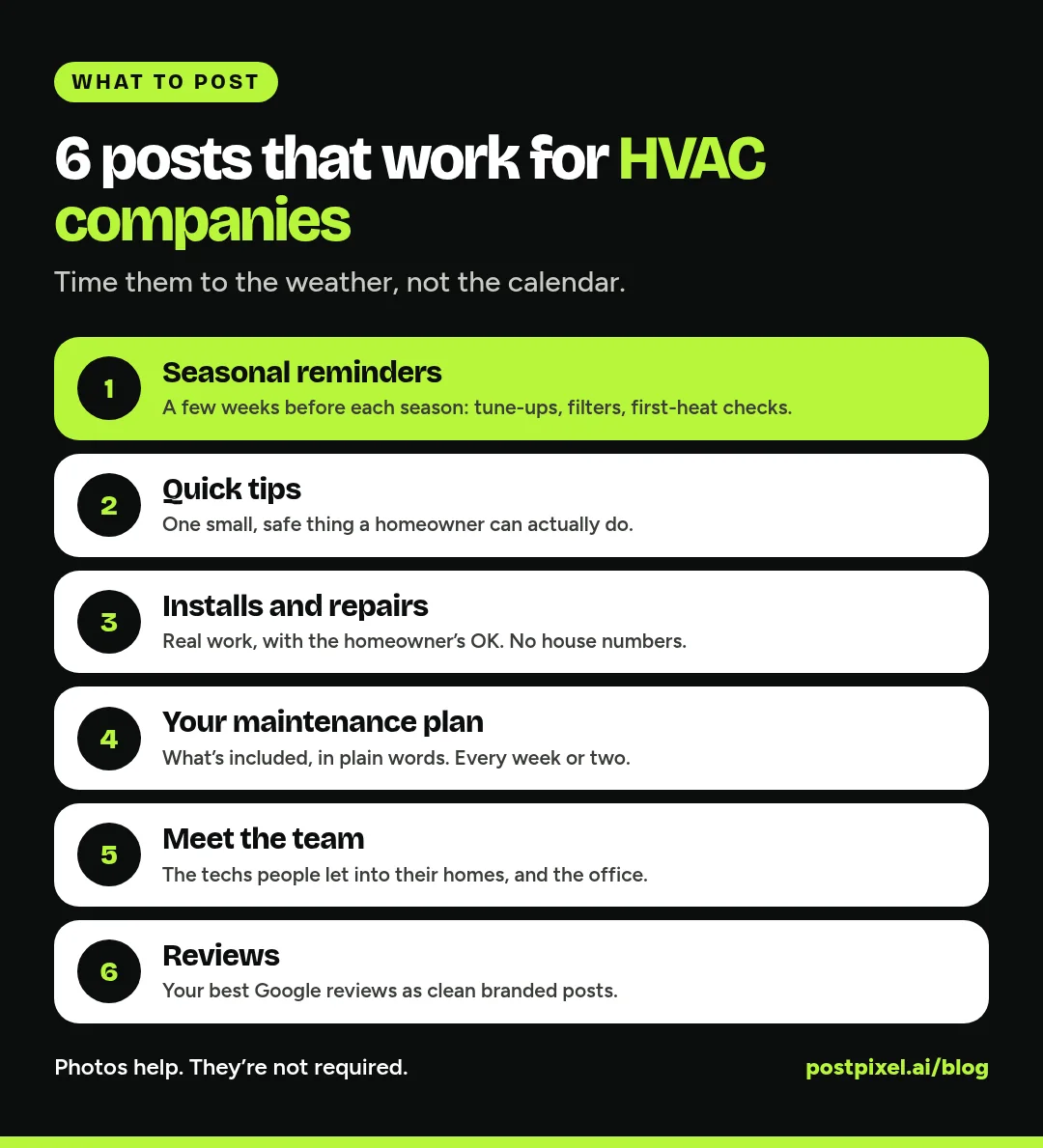
1. Seasonal reminders
The workhorse post. A few weeks before each season changes, remind people what to do and offer to do it for them.
- “Heating season is coming. When did your furnace last get a check-up?”
- “Before the first hot week: change the filter, clear around the outdoor unit, and book your AC tune-up.”
- “Going away for the holidays? Here’s what to set your thermostat to.” (Use your own recommendation.)
Keep these short and specific to your area. A post that mentions your town’s first frost or the week the pollen hits feels local, because it is.
2. Quick tips homeowners can actually use
Teach one small thing per post. It shows you know your stuff and doesn’t ask for anything.
- What that clicking noise usually means, and when to call
- How to find and change the filter (and why it matters)
- Why one room is always hotter than the rest
- What to check before calling for “no heat” (thermostat batteries, breaker, filter)
- Carbon monoxide detector reminder when you change the clocks
A tip post should end with an easy next step, like “Still not working? Give us a call,” not a hard sell. Keep safety advice simple and tell people to call a pro for anything involving gas, electrical or refrigerant.
3. Installs and repairs
Real work is your best proof. A new system going in, a clean line set, a tidy return, a fixed problem.
- A new install with one line on what the customer wanted (quieter, more even, lower bills) and what you put in
- A before-and-after of a cleaned coil or a rebuilt duct run
- “Found this during a tune-up” with a photo of a cracked part, and why it matters
Get the homeowner’s OK before showing anything that identifies their house, and keep house numbers and street signs out of the frame. If you’re not sure how to shoot these, our guide to before-and-after posts for contractors covers it.
Photos help here, but they aren’t a requirement for posting at all. Tips, reminders, plan and review posts work fine without them.
4. Your maintenance plan
If you sell a maintenance or comfort club plan, it deserves its own regular post. Explain it in plain words: what’s included, how many visits, what members get. Rotate the angle:
- “What happens at a tune-up” (a simple checklist post)
- “Why members get scheduled first when it’s busy” (only if that’s true for your plan)
- “Sign up before [MONTH] and your first visit is in [SEASON]”
Don’t put numbers in a post that you haven’t checked against your actual plan terms. Keep it accurate and it will sell itself.
5. Meet the team
People let your techs into their homes. Showing who they are builds trust fast.
- A tech spotlight: name, years in the trade, what they like about the job (with their OK)
- New hire welcome, training day, a certification someone just earned
- The office team who answers the phone
These posts tend to get the most comments from people who already know you, which is a good thing for a local page.
6. Reviews
A good Google review, turned into a clean branded graphic, does more on Facebook and Instagram than a screenshot. Thank the customer by first name only if they’re happy with that, and never share anything about their home or the problem beyond what they wrote publicly.
A season-by-season HVAC posting plan
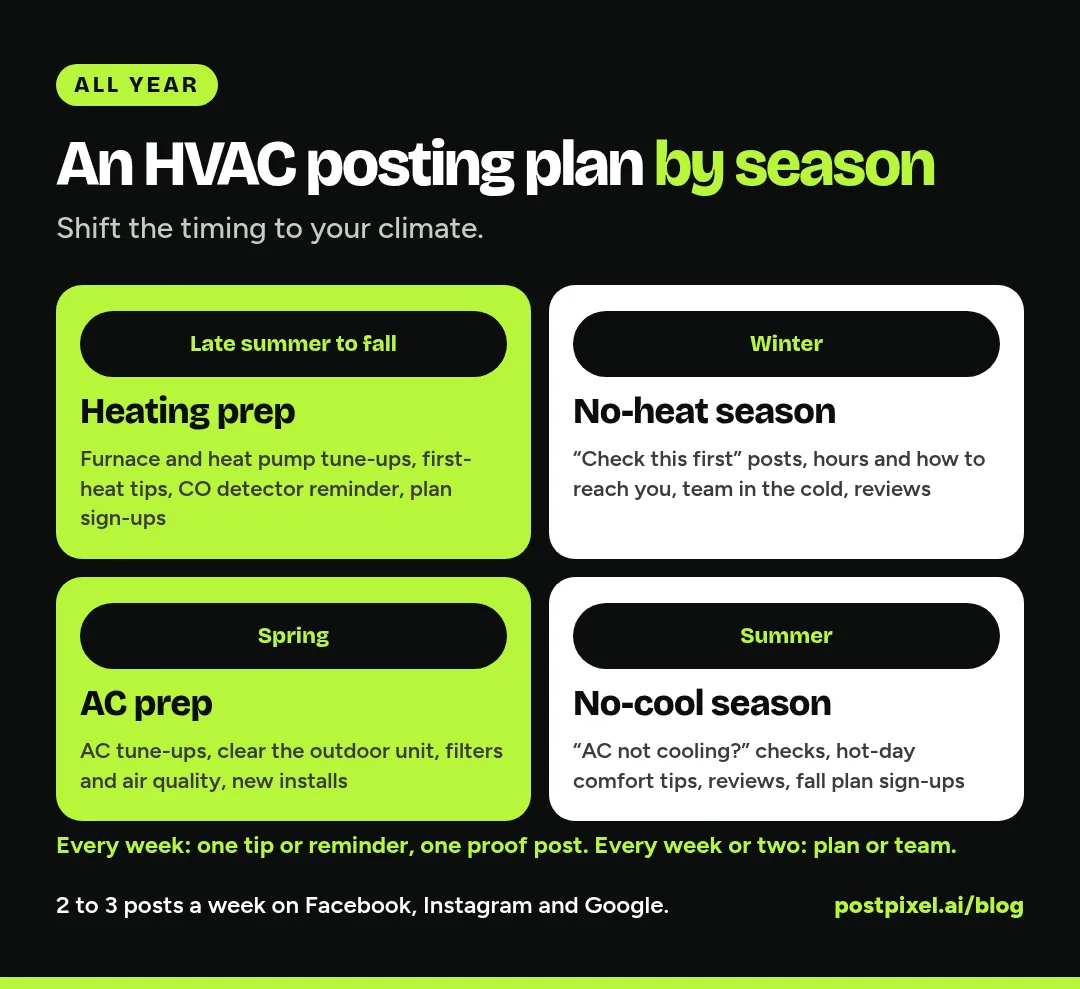
Adjust the timing to your climate. A company in Phoenix and one in Minneapolis won’t have the same timing.
Late summer to fall: heating prep
- Furnace or heat pump tune-up reminders
- “Before you turn the heat on for the first time” tips
- Carbon monoxide detector reminder
- Maintenance plan sign-up push
Winter: no-heat season
- Short, calm “what to check first” posts
- Your hours and how to reach you after hours (if you offer it)
- Team posts showing techs out in the cold
- Review posts from happy no-heat calls
Spring: AC prep
- AC tune-up reminders before the first heat
- Clean around the outdoor unit
- Indoor air quality and filter posts during allergy season
- New install posts as replacement season starts
Summer: no-cool season
- “AC not cooling? Check these three things first”
- Thermostat and comfort tips for hot days
- Reviews and install posts
- Fall maintenance plan sign-ups, late in the summer
Through all of it, keep a steady mix: roughly one tip or reminder, one proof post (install, repair or review) and, every week or two, one maintenance plan or team post.
How often should an HVAC company post?
Two or three times a week is a realistic target for most HVAC companies. One good post a week is still far better than ten in March and none until October.
If you’re on Facebook, Instagram and Google Business Profile, you don’t need three separate ideas. The same post, sized right for each, works on all three. Google Business Profile is worth including: Google says posts show on your profile in Search and Maps, that you can share updates, offers and events, and that posts older than six months are archived unless a date range is set (Google Business Profile Help). A quiet profile looks quiet.
Our post on how often a roofer should post on Facebook goes deeper on posting cadence for a weather-driven trade, and most of it applies to HVAC.
Where each post belongs
- Facebook: your local community and past customers. Every post type works here, especially reminders, reviews and team posts.
- Instagram: the visual side. Clean installs, your trucks, your team.
- Google Business Profile: people searching for HVAC near them right now. Seasonal offers, updates, hours, and proof of recent work.
- LinkedIn: only if you do commercial work. Building managers and property managers are there, so post commercial installs and planned maintenance.
How to keep posting when the phones won’t stop
The plan above isn’t hard. Keeping it up in peak season is. A few things that help:
- Batch it in the slow weeks. Write a month of seasonal reminders and tips before the rush starts, then schedule them.
- Keep a “post this” folder. Ask techs to drop one good photo per week into a shared folder. No photo, no problem. Not every post needs one.
- Reuse what works. Your best tune-up reminder can run every year with small edits.
- Make the posts for you, not from scratch. Starting from a blank screen is what kills most HVAC social media.
That last one is where a tool like PostPixel fits. You add your website, and PostPixel makes branded posts in your logo, colors and voice, up to five at a time, for Facebook, Instagram, Google Business Profile and LinkedIn. It does seasonal tips, promotions, informational posts, before-and-after pairs and your Google reviews as posts. Use your own photos if you have them, or let it create the visuals. You fix any spot with the precision editor, approve, then publish or schedule. The dashboard’s coverage calendar card shows which days you’ve got covered, so a gap in July is easy to spot.
There’s a free plan (3 branded posts a month, plus 2 bonus posts in your first month, with a PostPixel watermark, for 1 business and 1 social account). Paid plans start from $49/month, and they start at $0.99 for your first week. 500+ companies have signed up, and it saves up to 20 hours a month.
Need more ideas? Our list of 50 home service social media post ideas has plenty of HVAC-friendly captions you can edit.
Mistakes to avoid
- Only posting when it’s slow. Your busy season is when people are looking you up. Schedule posts ahead so the page stays alive.
- Selling in every post. If every post is a discount, people tune out. Mix in tips, team and proof.
- Unverified claims. Don’t promise energy savings, rebates or efficiency numbers in a post unless you’ve checked them for the specific equipment and program.
- Generic stock photos. A real truck or tech beats a smiling model holding a thermostat. If you don’t have photos, branded graphics with your colors look more like you than stock.
- Ignoring comments. Answer questions the same day if you can, and move anything about a specific home to a message or a call.
FAQ
What should an HVAC company post on Facebook?
Seasonal maintenance reminders, quick homeowner tips, real installs and repairs, your maintenance plan, team spotlights and your best reviews. Time them to the weather in your area, and keep the selling to a small share of your posts.
How often should an HVAC company post on social media?
Two or three times a week is a good target. Consistency matters more than volume, so pick a number you can keep up in your busiest month.
Should HVAC companies post on Google Business Profile?
Yes. Posts show on your Business Profile in Google Search and Maps, where people are often looking for HVAC help right now. Updates, offers and events are all supported, and older posts are archived after six months unless you set a date range, so post regularly.
Do I need photos to post for my HVAC company?
No. Install photos help, but reminders, tips, plan posts and review posts work without them. Tools like PostPixel can create the visuals when you don’t have a photo.
What should HVAC companies avoid posting?
Anything that identifies a customer’s home without permission, unverified savings or rebate claims, and DIY advice on gas, electrical or refrigerant work. Point people to a pro for those.
Make the posting the easy part
You fix heating and cooling. The posting should take minutes, not your Sunday night. Start free with PostPixel and see your first branded posts, or try the Solopreneur plan for $0.99 for your first week. Have office staff who’ll help? Look at Teams.