Do Google Business Profile Posts Help Local SEO?
Google doesn't name posts as a local ranking factor. They still earn their spot: posts are what people see when they open your profile and decide whether to call. Here's what to post, how often, and the rules that get posts rejected.
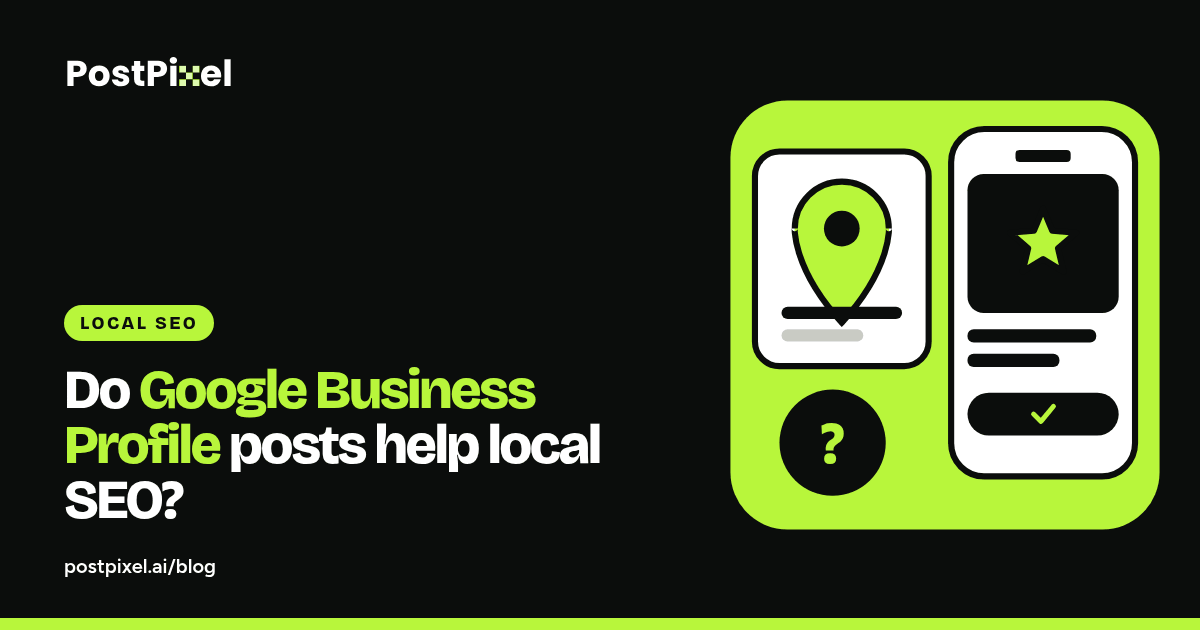
Not directly, as far as anyone can prove. Google’s own guide to local ranking says results are mainly based on relevance, distance and how well known a business is, and it lists things like complete info, reviews and photos, but it doesn’t name posts as a ranking factor. Where posts do earn their keep is after someone finds you: they show up on your profile in Search and Maps, and they help a stranger decide to call you instead of the next business down the list.
So the honest answer is: post on your Google Business Profile because it helps you win the customer, not because it’s a secret ranking trick. If it also helps your ranking a little, that’s a bonus. This guide covers what Google actually says, what to post, how often, and the mistakes that get posts rejected.
What Google says about local ranking
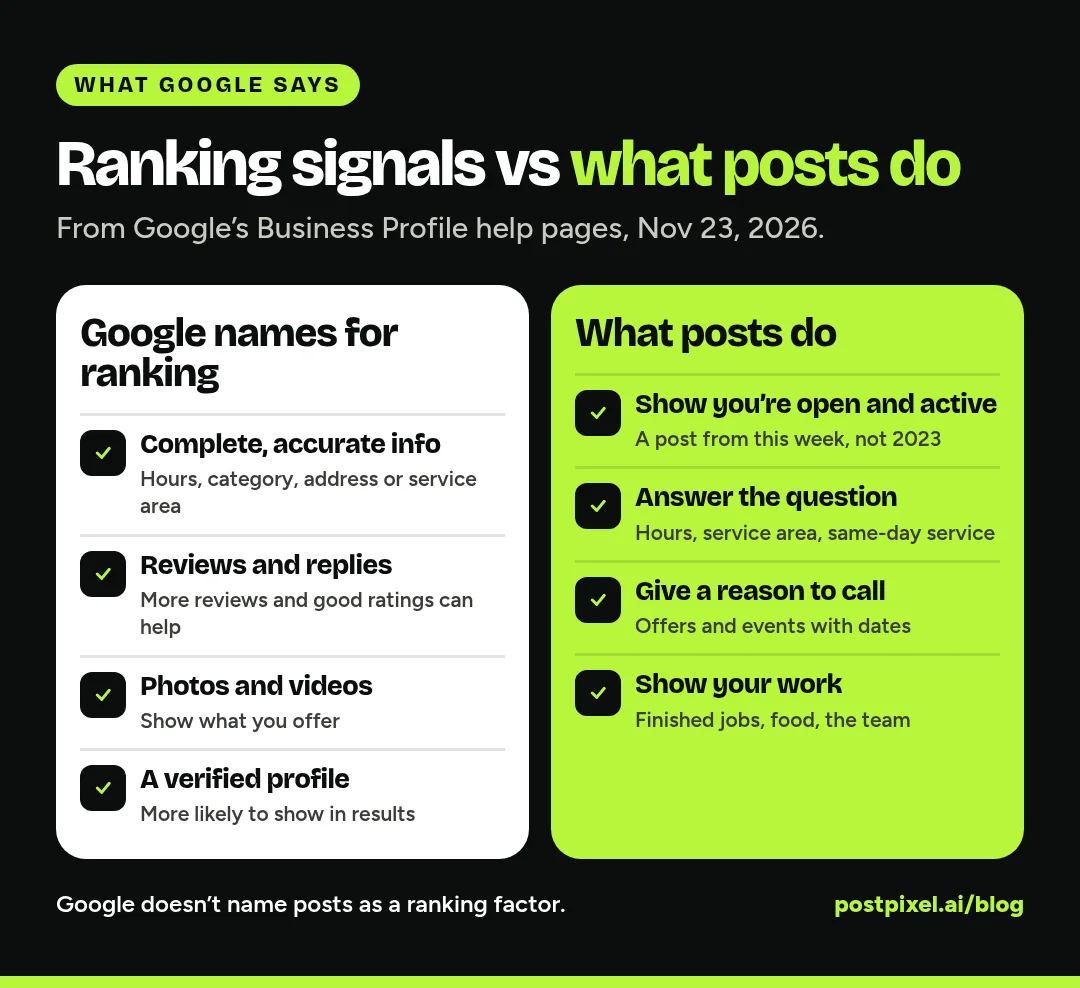
Google has a help page called Tips to improve your local ranking on Google. It’s short, and it’s worth reading once. The key line: local results “are mainly based on relevance, distance, and popularity.” The page then explains each one, calling the third factor prominence:
- Relevance: how well your profile matches what someone searched. Complete, detailed business info helps.
- Distance: how far you are from the person searching. You can’t change this one.
- Prominence: how well known you are, including how many websites link to you and how many reviews you have. Google says “more reviews and positive ratings can help your business’s local ranking.”
The page’s practical tips are: verify your business, keep your info complete and accurate (address, hours, category, attributes), respond to reviews, and add photos and videos. It also says plainly that there’s “no way to request or pay for a better local ranking.”
Notice what’s missing from that list: posts. Google doesn’t say posts hurt, and it doesn’t say they help your ranking. Anyone who tells you “post three times a week on Google and you’ll hit the top of Maps” is guessing.
So why bother posting on Google at all?
Because of where posts show up and who sees them. According to Google’s help page on creating posts on your Business Profile, posts appear in the “Updates” or “Overview” tabs of your profile on mobile, and in a “From the owner” section on a computer, on both Search and Maps.
Think about who’s looking at your profile. It’s someone who already searched “plumber near me” or “tacos open now” and tapped on you. They’re comparing you with two or three other businesses. At that moment, a recent post can do things your reviews and hours can’t:
- Show you’re open and active. A profile with a post from last week feels alive. A profile with nothing since 2023 makes people wonder.
- Answer the question they had. “Do you do same-day service?” “Are you open Thanksgiving weekend?” “Do you service my town?”
- Give them a reason to pick you today. A seasonal offer, a tune-up special, a holiday event.
- Show your work. A finished patio, a clean install, a full dining room, the team that will show up at their door.
That’s why we tell local owners to treat Google posts like a storefront window, not an SEO lever. It’s the last thing someone sees before they decide.
What kinds of posts can you make on Google?
Google currently offers three post types (source):
- Updates: general news about your business. You can add a description, photo or video, and a button that links to a page where people can book, order or learn more.
- Offers: a promotion with a title and start and end dates. Google adds a “View offer” button automatically, and you can include a coupon code and terms.
- Events: something happening at your business, with a title and start and end dates and times.
Google’s help page also lists a few useful details:
- You can schedule a post for later, and you can set a post to repeat weekly, monthly or on a custom schedule.
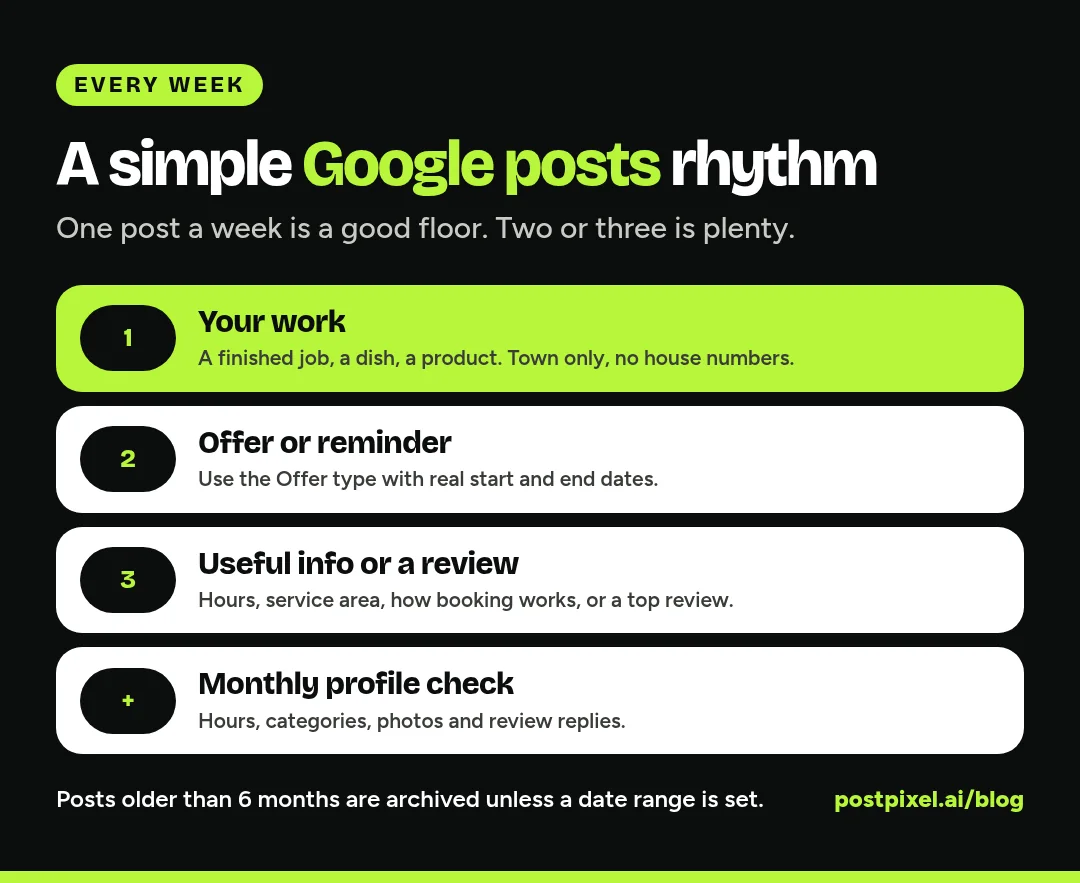
- Posts older than 6 months are archived unless you set a date range. So an old post won’t sit there forever, but it also means a profile with no new posts slowly empties out.
- Some food and drink businesses get featured posts. Google says this is “currently available in English for single-location food and drink businesses in the US, UK, Canada, Australia, and New Zealand,” and featured posts show in place of reviews on mobile.
What to post on your Google Business Profile
You don’t need a different content plan for Google. You need the right slice of the posts you already make. Here’s a simple rotation that works for most local businesses.
1. Your work (or your product)
A finished job, a dish, a product on the shelf, a happy event. For a home service business, this is a finished install or a before-and-after. For a restaurant, it’s your best seller. Keep the caption short: what it is, where it was (city or neighborhood, never a house number), and how to book.
If you do before-and-after work, our guide to before-and-after posts for contractors covers what to shoot and how to caption it.
2. Seasonal offers and reminders
Use the Offer post type when you have a real promotion with dates. A furnace tune-up special in October. A spring cleanup booking window. A holiday catering deadline. The dates matter, because an offer that expired two months ago looks worse than no offer at all.
3. Useful info that answers questions
Holiday hours, service area, “yes, we do emergency calls,” how your estimate process works, what to expect on the first visit. These posts aren’t exciting, but they answer the exact questions people have when they’re deciding.
4. Reviews
Your best Google reviews, turned into a clean branded post with the customer’s first name only. It’s social proof right where people are already reading reviews.
5. Team and behind the scenes
The tech who’ll show up, the crew on a job, the kitchen before service, the office staff who answer the phone. People hire people.
For a longer list of ideas you can reuse on Google, Facebook and Instagram, see 50 home service social media post ideas.
How often should you post on Google Business Profile?
Google doesn’t give a number, so this is our recommendation, not a rule: one post a week is a good floor, and two or three is plenty for most local businesses.
Why one a week? Because the job of a Google post is to show a stranger you’re active and to answer their questions. One fresh post a week does that. Since posts older than six months get archived, a weekly habit also keeps your profile from slowly going blank.
If you’re already posting on Facebook and Instagram, the easiest move is to send the same posts to Google too. Most of what works on Facebook (finished work, offers, reviews, holiday hours) works on Google with a shorter caption.
If you only have time for one thing this month, though, Google’s own tips point somewhere else first: make sure your hours, categories and service area are right, and reply to your reviews.
Mistakes that get Google posts rejected (or ignored)
Google reviews posts against its content policy, and a post can come back as “Not approved.” Google’s help page lists a few things to watch (source):
- Phone numbers in the description. Google says posts with a phone number in the description “might get rejected” if the number can’t be verified as connected to the business. Use the button or your profile’s listed number instead.
- Regulated products. If you’re in a regulated industry, Google says you can still post, but don’t include content about the products. Its examples include alcohol, tobacco, pharmaceutical products, health and medical devices, gambling, fireworks, weapons and financial services.
- Sloppy text. Google’s tips say to avoid misspellings, extra characters, “text that adds no value,” and auto-generated or distracting content.
- Links you don’t trust. Links to malware or phishing get blocked.
A few more mistakes we see:
- Posting once, then nothing for a year. A single post from last spring isn’t much better than none.
- Expired offers. Always set end dates on offers.
- Stuffing keywords. “Best plumber Austin plumbing Austin TX plumber” reads like spam to people, and Google’s tips warn against text that adds no value.
- Customer addresses or faces without permission. Ask first, and never show a house number.
Where PostPixel fits (it’s our product)
The hard part of Google posts isn’t pressing “post.” It’s making something worth posting, every week, on top of running the business.
PostPixel is our product, so weigh this with that in mind. You add your website and PostPixel sets up your brand kit: logo, colors, fonts and voice. Then it creates up to five branded posts at once, with captions in your voice, across six post types: business photo posts, before-and-after posts, promotional posts for offers and seasonal specials, educational tips, informational posts like hours and service area, and Google review posts. Connect your Google Business Profile and your reviews can become branded posts.
Use your own photos if you have them, or let PostPixel create the visuals. If one spot needs a change, select it and tell PostPixel what to fix, and only that spot changes. Then approve and publish now or schedule to Google Business Profile, Facebook, Instagram and LinkedIn. The dashboard’s coverage calendar card shows which days have posts, so a gap stands out before your profile goes quiet.
There’s a free plan (3 AI-generated branded posts a month, plus 2 bonus posts in your first month, with a PostPixel watermark, for 1 business and 1 social account). Paid plans start from $49/month, and they start at $0.99 for your first week. 500+ companies have signed up, and PostPixel saves up to 20 hours a month.
For the bigger local SEO picture (your website, citations and reviews), read our simple guide to local SEO for home service businesses.
FAQ
Do Google Business Profile posts help local SEO?
Google doesn’t list posts as a local ranking factor. Its ranking guide focuses on relevance, distance and prominence, with tips about complete info, reviews and photos. Posts help mainly by showing people who find your profile that you’re active and giving them a reason to call.
How often should I post on my Google Business Profile?
Google doesn’t set a number. One post a week is a sensible floor and two or three is plenty for most local businesses. Posts older than six months are archived unless you set a date range, so a steady habit keeps your profile from emptying out.
What should I post on Google Business Profile?
Your finished work or products, seasonal offers with dates, useful info like hours and service area, your best reviews, and your team. The same posts you make for Facebook usually work on Google with a shorter caption.
Why was my Google Business Profile post rejected?
Common reasons in Google’s help page include a phone number in the description that can’t be verified, content about regulated products (like alcohol or medical devices), misspellings or text that adds no value, and untrusted links.
Can I schedule Google Business Profile posts?
Yes. Google’s help page says you can turn on “Schedule this post” to publish later, and set a post to repeat weekly, monthly or on a custom schedule. Tools that publish to Google Business Profile can also schedule posts for you.
What matters more for local ranking than posts?
By Google’s own tips: a verified profile, complete and accurate info (hours, category, address or service area), reviews and your replies to them, and photos and videos.
Make Google posts the easy part
A fresh post every week makes your profile look open for business. Start free with PostPixel, or try Solopreneur for $0.99 for your first week. Running more than one location or a small office team? Look at Teams.