50 Home Service Social Media Post Ideas (With Captions)
Stuck on what to post? Here are 50 Facebook and Instagram post ideas for roofers, HVAC techs, cleaners, plumbers and other home service pros, each with a caption you can edit.

The hardest part of posting isn’t the posting. It’s staring at a blank box at 9 PM wondering what to say.
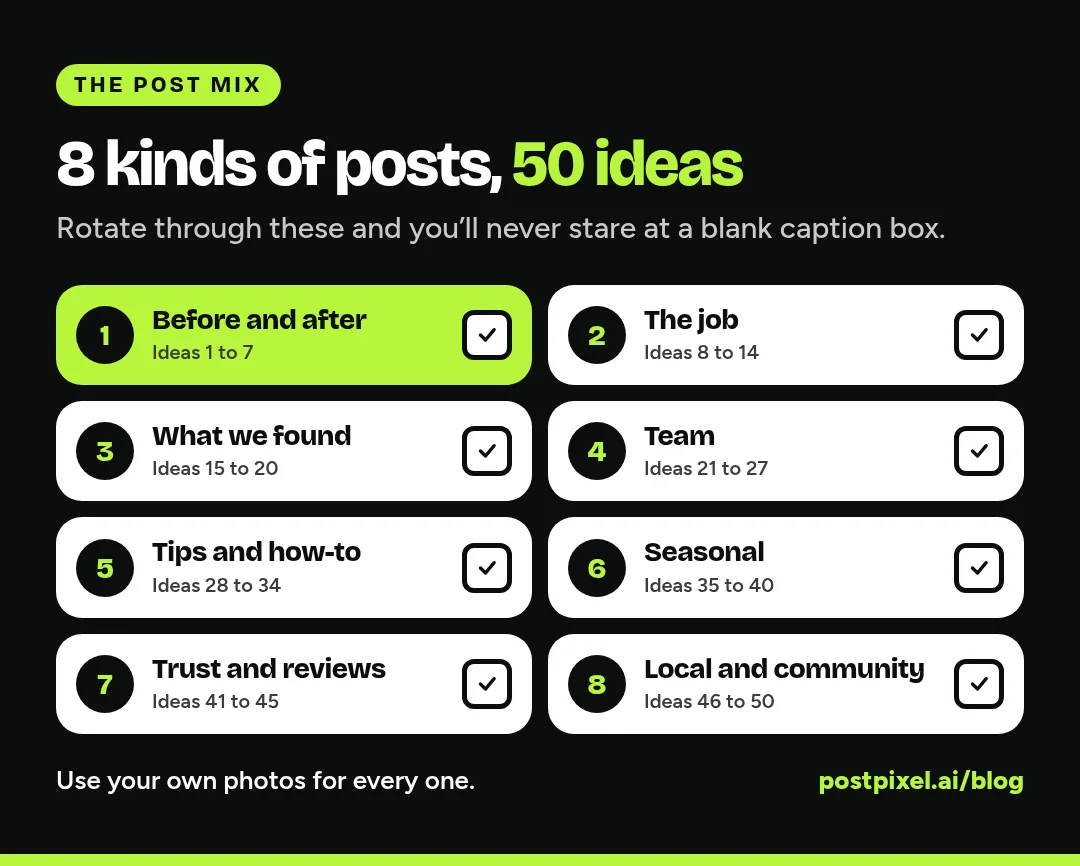
If you run a roofing, HVAC, plumbing, cleaning, pest control, lawn care or pressure washing business, you already have more to post than you think. You just need a list to pull from. Below are 50 Facebook and Instagram post ideas, grouped into eight types, each with a short caption you can copy and change to fit your business.
Agencies: this list works as a starting menu for any home service client. Drop it into your onboarding doc and ask the owner which ten sound like them.
A quick rule before we start: almost every idea here works best with a real photo from your phone. Not stock. Not a logo on a colored square. Your truck, your crew, your work.
How to use these captions
Each caption has brackets like [town] or [service]. Swap those for your details. Then read it out loud. If it doesn’t sound like something you’d say to a customer in their driveway, change the words until it does.
Keep captions short. One to three sentences, one clear point, and a simple next step like “Call or message us” or “Link in bio to book.”
Before-and-after posts (ideas 1 to 7)
Before-and-after photos are the most convincing post a home service business can share. For the full playbook on shooting them, see our guide to before-and-after posts for contractors.
- The classic pair. “Before and after on a [service] in [town] this week. Same house, same angle, two days apart.”
- The worst one this month. “We see a lot. This one made the crew stop and stare. Here’s how it turned out.”
- Half and half. One photo, half cleaned or fixed and half not. “Halfway there. Guess which side we finished first.”
- The detail shot. A close-up of a finished edge, joint or seam. “Nobody looks this close. We do anyway.”
- The slow reveal. Three photos: before, during, after. “Day 1, Day 2, done. A [service] job in [neighborhood].”
- The yearly comparison. A photo from last year next to this year’s visit. “Same customer, one year later. This is what regular [service] looks like.”
- The “wrong way” fix. “Someone tried a shortcut here. This is what it took to fix it properly.”
Job and project posts (ideas 8 to 14)
- Job of the week. “Our favorite job this week: [short description] in [town].”
- Tools of the trade. A photo of the gear laid out. “Everything that comes off the truck for a [service] job.”
- Materials we use. “Why we use [material or brand] on every [service]: it lasts longer and holds up to [local weather].”
- Big job, small crew. “Three people, two days, one very happy homeowner.”
- Early start. Truck in the driveway at sunrise. “On site by 7. Done by lunch.”
- What’s in the box. New equipment before install. “New [unit] going in today. Out with the old.”
- The final walk-through. “Last step on every job: we walk it with you and answer every question.”
Problem and “what we found” posts (ideas 15 to 20)
These posts teach homeowners what to watch for. They also show you know your stuff.
- The surprise find. “Called in for a small leak. Found this behind the wall.”
- Warning signs. “If your [system] is doing this, call someone before it gets worse.”
- Cause and effect. “This is what [problem] looks like after two winters of nobody checking.”
- Caught it early. “Small crack, easy fix. Six months from now it wouldn’t have been.”
- Myth vs fact. “Myth: [common belief]. Fact: [what you actually see on jobs].”
- What not to DIY. “We love a good DIY project. This isn’t one of them. Here’s why.”
Team and behind-the-scenes posts (ideas 21 to 27)
People hire people. Show the faces that will show up at the door (with their permission).
- Meet the tech. “Meet [name]. [X] years in the trade, best known for [quirk]. You might see him at your place soon.”
- Crew photo. “The team that made it happen this week.”
- Truck day. “Fresh wash, full stock, ready to roll.”
- Shop or office. “Where the scheduling magic happens.”
- Training day. “Our crew spent today learning [skill or certification]. Better techs, better jobs.”
- Work anniversary. “Five years ago [name] joined us. Thanks for every early morning.”
- Owner story. “Why I started [business name]: [one or two honest sentences].”
Tips and how-to posts (ideas 28 to 34)
Helpful posts get saved and shared, which puts your name in front of people who haven’t needed you yet.
- Quick tip. “One thing you can do this weekend to keep your [system] running: [tip].”
- Seasonal checklist. “Before it gets cold, check these three things around your house.”
- How long does it last? “How long does a [roof, water heater, AC unit] really last? Here’s what we see in [region].”
- Cost factors. “What changes the price of a [service]? Size, access and [factor]. We’ll always walk you through it.”
- When to call a pro. “Easy fix or time to call? Here’s how to tell.”
- Answer a common question. “The question we hear most: [question]. Short answer: [answer].”
- Product care. “Just had [service] done? Here’s how to keep it looking like day one.”
Seasonal and timely posts (ideas 35 to 40)
- First cold snap. “Furnace not kicking on? You’re not alone this week. We have openings.”
- Storm follow-up. “Rough storm last night. If you see damage, take photos first, then call us.”
- Spring cleanup. “Spring is booking up. Here’s what we’re working on this month.”
- Holiday hours. “We’re closed [date] so the crew can be with family. Back [date].”
- Back to school. “Kids are back in school. Good time to get that project done.”
- Year in review. “This year: [number of jobs or a favorite job]. Thanks, [town].”
Only use real numbers in posts like idea 40. If you’re not sure, skip the number and share your favorite job instead.
Trust and review posts (ideas 41 to 45)
- Share a review. Post a real review word for word with the customer’s first name only, and ask permission first. “This made our week. Thank you, [first name].”
- Licensed and insured. “Yes, we’re licensed and insured in [state]. Ask any contractor you hire to show you theirs.”
- Our promise. “What you can expect from us on every job: [three short points].”
- Warranty explained. “Here’s what our [workmanship] warranty covers, in plain English.”
- How we price. “No surprise charges. Here’s how a quote from us works.”
Local and community posts (ideas 46 to 50)
- Neighborhood shout-out. “Working in [neighborhood] all week. Wave if you see the truck.”
- Local business love. “Lunch today from [local spot]. Highly recommend the [item].”
- Sponsorship or event. “Proud to support [team or event] this season.”
- Community help. “Our crew spent Saturday helping [cause]. Good people, good day.”
- Thank you post. “We’re a small local business. Every call, review and referral matters. Thank you.”
A simple weekly mix
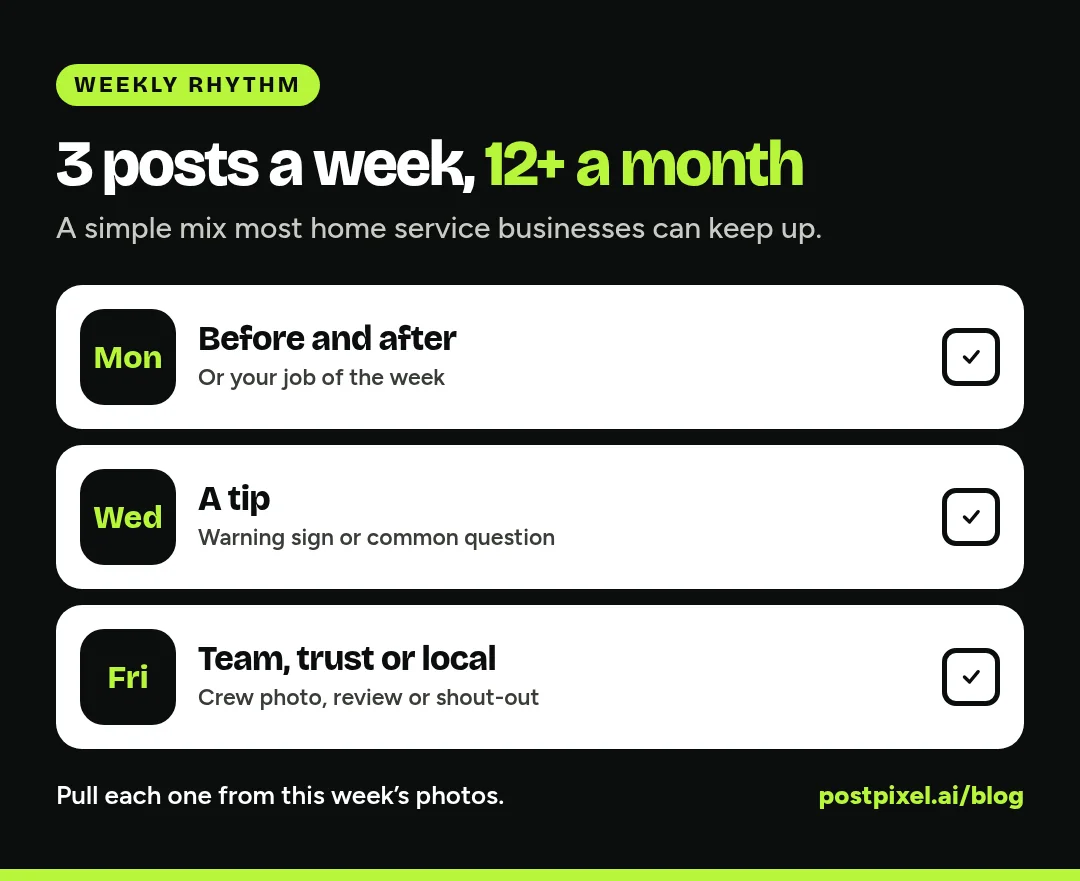
You don’t need 50 posts a week. Three or four is plenty for most home service businesses. A simple rotation looks like this:
- Monday: a before-and-after or job of the week
- Wednesday: a tip, warning sign or common question
- Friday: a team, trust or local post
That’s 12 to 16 posts a month. If you want to plan the whole month from one batch of photos, our guide on turning job-site photos into a month of social posts walks through it step by step.
Facebook vs Instagram: does the caption change?
A little. The idea stays the same.
On Facebook
Facebook captions can run a bit longer. Homeowners there often want the details: where, what was wrong, what you did. Add your service area and phone number on posts that might get shared in local groups.
On Instagram
Lead with the photo. Keep the first line short, since it’s all most people see before “more.” Add a few local hashtags, like your town name plus your trade, at the end.
Where agencies fit in
If you manage social for several home service clients, the bottleneck is rarely ideas. It’s getting photos from busy owners and turning them into posts without hours of design work for each client.
A good routine: send each client this list once, ask them to text you photos after jobs, and build the month from what comes in. Our post on managing social media for multiple clients covers the weekly rhythm in more detail.
How PostPixel helps
PostPixel turns the business photos you already have into branded Facebook and Instagram posts, with captions written for you. That means job site photos, but also your team, your trucks, your storefront or your products.
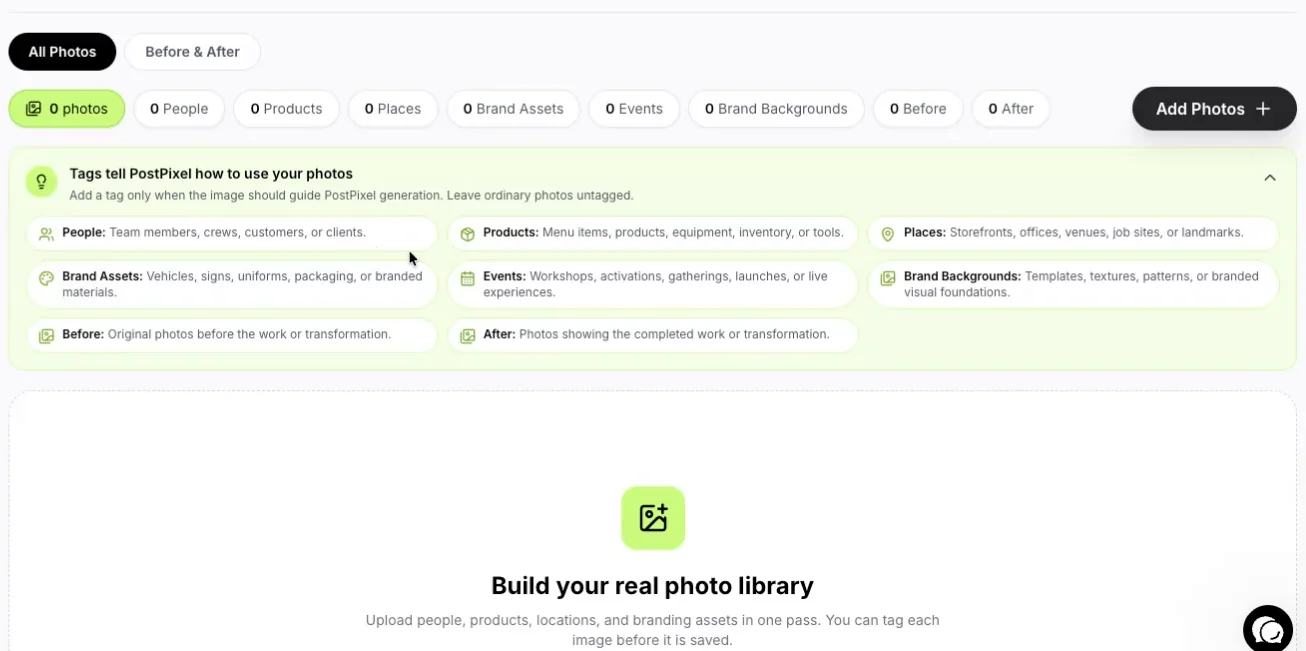
There’s no direct CRM integration. You save photos from Jobber, Housecall Pro, CompanyCam or your phone’s gallery and upload them, up to 25 per batch. PostPixel can pair before and after shots into one post, and the dashboard’s coverage calendar card shows which days you have covered.
The Teams and Agency plans add the precision editor and comment and review management. Plans start from $49/month (Solopreneur $49, Teams $79, Agency $99 with three workspaces, then $37 per extra workspace).
FAQ
What should a home service business post on social media?
Mostly real photos of your work: before-and-afters, jobs in progress, your team and your trucks. Mix in tips, seasonal reminders, reviews (with permission) and local community posts.
How often should a home service business post?
Three or four times a week is a good target for most small businesses. Consistency matters more than volume, so pick a number you can keep up in your busy season.
Do I need different captions for Facebook and Instagram?
Not completely. Use the same idea, then make the Facebook version a little more detailed and the Instagram version shorter with a few local hashtags.
Can I use stock photos?
You can, but they don’t build trust the way your own photos do. Homeowners want to see your work and your crew. A slightly messy real photo beats a perfect stock one.
What if I don’t have good photos?
Start taking them on every job. A before, a during, an after and a crew shot take a couple of minutes. Within a month you’ll have more than enough.
Get your next month of posts from photos you already have
Pick ten ideas from this list, grab the matching photos from your phone and you’ve got a few weeks covered.
Or let PostPixel do the writing and design. More than 500 companies have signed up, and it saves up to 20 hours a month on content. Start your 7-day free trial and upload your first batch of photos.