Can ChatGPT Write Follow-Up Texts After an Estimate?
ChatGPT is good at short, polite follow-up texts and emails: after an estimate, when you're running late, after the job and before the next visit. You keep the prices, the dates and the customer details. Six copy-paste prompts, plus the texting rules to check first.
Yes. ChatGPT (or Claude, or Gemini) is good at exactly this kind of writing: short, friendly, clear messages that nudge a customer without sounding pushy. Give it the job, the tone you want and the timing, and it’ll draft a follow-up sequence in a couple of minutes. You keep the prices, the dates, the offers and the customer details, and you check the texting rules before you send anything automated.
Most estimates that go quiet aren’t a “no.” The homeowner got busy, is waiting on a spouse, or is comparing two quotes and forgot which one was yours. A polite text two days later is often all it takes. The problem is that nobody in a trades business has time to write those texts at 8 PM after the last call. That’s where AI earns its spot.
This guide gives you six copy-paste prompts for the moments that matter: after the estimate, when you’re running late, after the job, and before the next visit. Every prompt keeps the numbers and names in [BRACKETS] for you.
Before you send any texts: this article is not legal advice. Texting rules depend on how you send (by hand or through software), what the message is (a reminder or a promotion) and what the customer agreed to. If you send texts through an automated system, check the rules with a lawyer first. More on that below.
What AI should and shouldn’t do on follow-ups
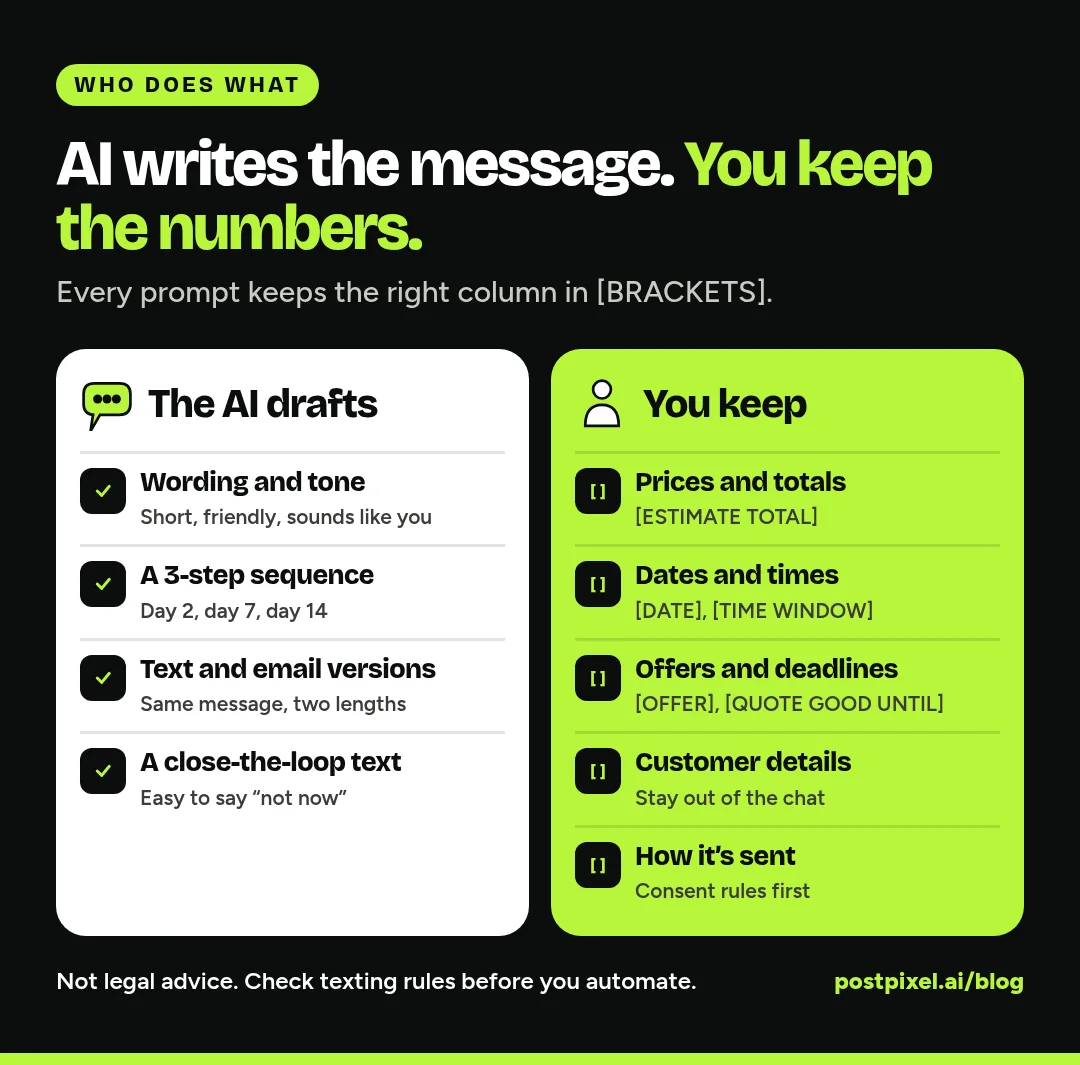
The AI can draft:
- Short texts and emails in your voice, not “corporate”
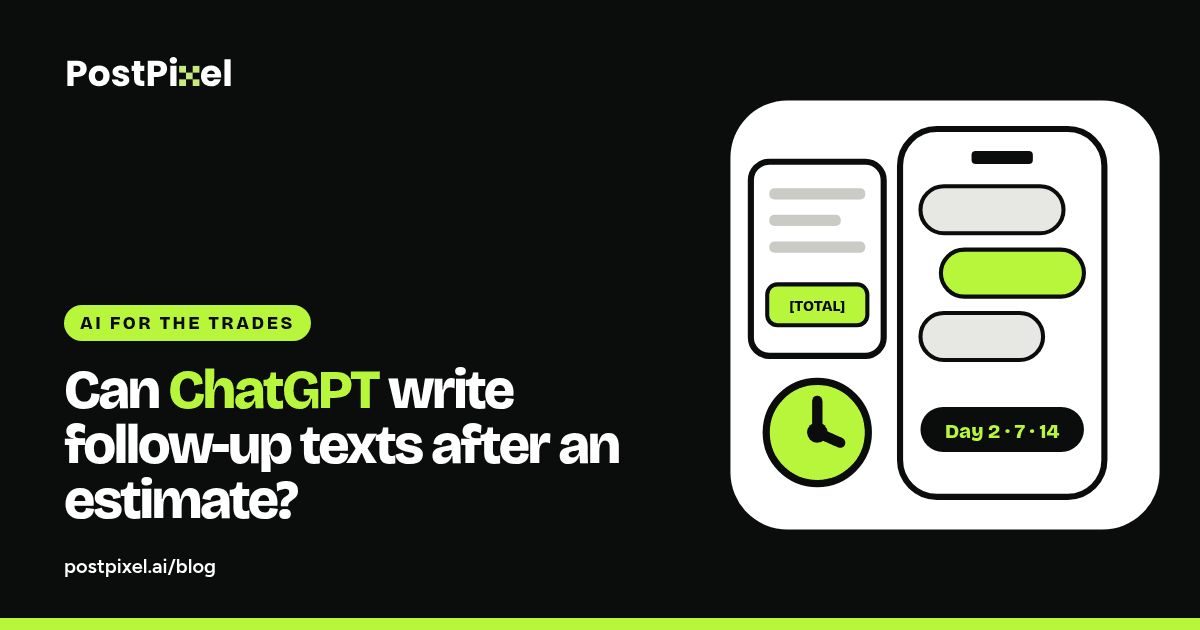
- A follow-up sequence (day 2, day 7, day 14) so you’re not starting from scratch each time
- Different versions for text and email
- A gentle “close the loop” message so you can stop following up without burning the bridge
You keep:
- Prices and totals. The AI never types a dollar figure. If it does, delete it and use [ESTIMATE TOTAL].
- Dates and times. Arrival windows, how long a quote is good for, booking slots.
- Offers and discounts. Only real ones you’ve decided on. The prompts tell the AI not to invent a deal.
- Customer details. Names, phone numbers, addresses and payment info stay out of the chat. Use [CUSTOMER FIRST NAME] and fill it in inside your own phone or software.
- When and how it’s sent. That’s a business and legal decision, not the AI’s.
Check the texting rules first
A text you type and send from your own phone to a customer who asked you for a quote is a normal part of doing business. Things get stricter when software sends texts for you, and when the message is a promotion.
The FCC’s consumer guide on unwanted robocalls and texts says its rules “ban text messages sent to a mobile phone using an autodialer unless the phone owner previously gave consent to receive the message or the message is sent for emergency purposes.” It also says “commercial texts require written consent; for informational texts, your consent may be oral,” and that people can opt out “at any time and in any reasonable manner.”
What that means for you, in plain terms (and again, not legal advice):
- Get the customer’s OK to text when they book the estimate, and write down that they said yes. If your booking form or field-service tool has a consent checkbox, use it.
- Keep reminders and promotions separate. “Your tech arrives between [TIME WINDOW]” is informational. “15% off a spring tune-up” is a promotion.
- Make opting out easy, and honor it right away.
- Talk to a lawyer before you automate texts, especially marketing texts. Some states have their own rules on top of the federal ones.
The six prompts
Run these in one chat so the AI keeps your voice and rules. Copy a prompt, fill in the [BRACKETED] parts that are yours, and paste it in. If a draft sounds off, say so plainly (“too formal, we’re a two-truck family business”).
Prompt 1: Set the rules and your voice
This one sets the guardrails for the whole chat. Paste it first.
I own a [TRADE, e.g. HVAC / plumbing / roofing / landscaping / cleaning] company in [CITY OR REGION].
I want help writing short follow-up texts and emails to customers.

Rules for this whole chat:
- Never write a price, total, discount, offer or deadline. Use brackets like [ESTIMATE TOTAL], [OFFER], [QUOTE GOOD UNTIL].
- Never write a date, time or arrival window. Use [DATE] and [TIME WINDOW].
- Use [CUSTOMER FIRST NAME], [TECH NAME] and [COMPANY NAME]. I'll fill those in myself.
- Never invent warranty terms, guarantees or promises about results.
- Texts: under 300 characters, no emojis unless I ask, no ALL CAPS, no "act now" pressure.
- Emails: under 120 words, a clear subject line, one question at the end.
- Sound like a real local business owner, not a marketing department.

Here's how I talk to customers: [2-3 SENTENCES OR A REAL TEXT YOU'VE SENT BEFORE].
Confirm the rules in one line, then wait for my next message.
Why it works: the example of how you really talk does more for the tone than any adjective. Paste a real text you’ve sent (with the name removed).
Prompt 2: The estimate follow-up sequence
Write a 3-message follow-up sequence for an estimate I sent.

Job: [SHORT JOB DESCRIPTION, e.g. "replace 15-year-old furnace, two options"]
How I sent it: [TEXT / EMAIL / IN PERSON]
What the customer seemed worried about: [e.g. price, timing, which option to pick]

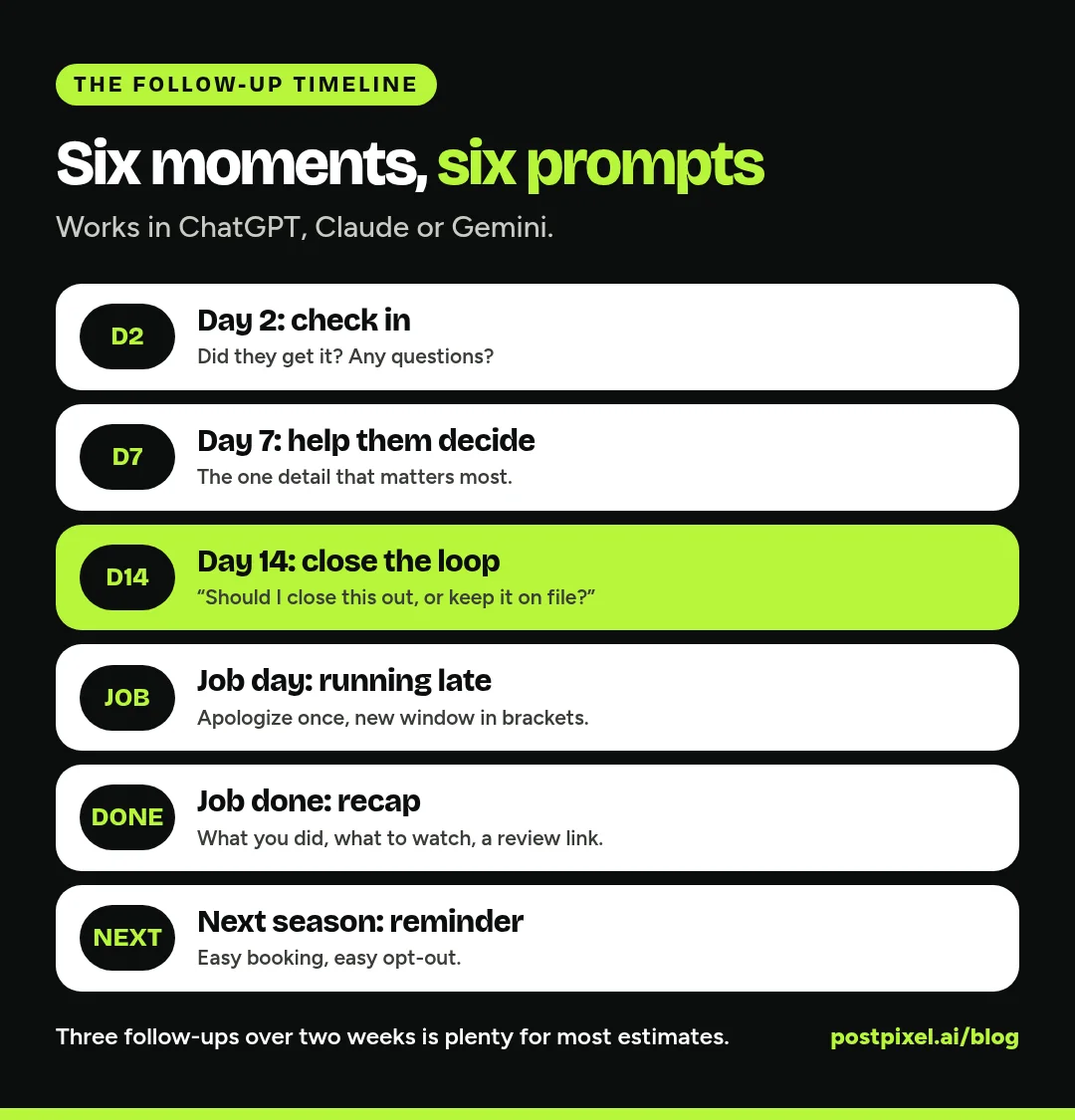
Message 1 (day 2, text): check they got it and offer to answer questions.
Message 2 (day 7, text or email): help them decide. Mention [THE ONE THING THAT MATTERS MOST, e.g. "the second option includes a 10-year parts warranty from the manufacturer"] only if I've given it to you; otherwise leave [KEY DETAIL].
Message 3 (day 14, text): a friendly close-the-loop. Make it easy to say "not now" and say we'll keep the quote on file until [QUOTE GOOD UNTIL].

No prices. No invented offers. Give me each message with its day label.
Tip: the third message is the one most owners skip, and it’s often the one that gets a reply. People find it easier to answer “should I close this out?” than “just checking in.”
Prompt 3: Answer an objection without sounding defensive
A customer replied to my estimate with this: "[PASTE THEIR REPLY, NO NAMES OR ADDRESSES]".

Write two short reply options (text length):
1. One that answers the concern directly and offers a quick call.
2. One that offers a smaller or phased option, using [SMALLER OPTION] as a placeholder. Don't describe what it includes unless I tell you.

Stay calm and friendly. Don't argue, don't discount, don't badmouth other companies.
Prompt 4: Running late (or need to reschedule)
Write a text to a customer for today's appointment.

Situation: [RUNNING LATE / NEED TO RESCHEDULE / TECH CHANGED]
Reason (keep it short and honest): [e.g. "previous job took longer"]
New arrival window: [TIME WINDOW]
Tech: [TECH NAME]

Apologize once, give the new window as a bracket, and offer to rebook if it no longer works.
Under 250 characters. Then give me a second, even shorter version.
Prompt 5: Job-complete recap
Write a short job-complete message I can send after we finish.

What we did: [PLAIN NOTES, e.g. "replaced shutoff valve under kitchen sink, tested, no leaks"]
Anything they should watch for: [e.g. "small drip from old faucet, not part of today's job"]
Paperwork: invoice and warranty info are [ATTACHED / IN THE CUSTOMER PORTAL / COMING BY EMAIL].

Version A: text, under 300 characters.
Version B: email, under 120 words, with a subject line.
Thank them, say what was done in plain words, and invite questions.
Don't invent warranty terms. If warranty comes up, write [WARRANTY DETAILS].
At the very end, add one optional line asking for a Google review, with [REVIEW LINK].
Tip: only ask for the review after a job that actually went well. And never offer anything in return for a review.
Prompt 6: Maintenance or “next visit” reminder
Write a reminder for a past customer who is due for [SERVICE, e.g. "fall furnace tune-up" / "spring irrigation start-up" / "annual drain cleaning"].

Last visit: [MONTH AND YEAR, no exact date needed]
How to book: [BOOKING LINK / REPLY TO THIS TEXT / CALL OUR OFFICE]
Offer: [OFFER, or write "none"]

Give me:
1. A text under 280 characters that ends with an easy way to opt out (e.g. "Reply STOP to opt out").
2. An email under 120 words with a subject line.

If Offer is "none", don't mention any deal.
Note: a reminder that includes an offer is more likely to count as a promotional message. That’s exactly the kind of text to run past the consent rules above before you send it in bulk.
Turn the drafts into templates you reuse
You don’t want to run these prompts every time. Run them once, edit the drafts until they sound like you, then save the finished versions as templates:
- In your field-service software. If yours has saved message templates, paste your edited versions there so the office can use them too.
- In your phone’s keyboard shortcuts. Most phones have a text replacement or shortcut setting, so a short code like “fu2” types out the whole message.
- In a shared doc if more than one person sends follow-ups, so everyone sounds the same.
Review the templates every few months. If a message never gets replies, rewrite it.
If you also want help with the estimate itself, our guide on whether ChatGPT can write estimates has prompts that turn site notes into a clean scope without inventing prices. And when the job changes halfway through, see how to use ChatGPT for change orders.
Mistakes to avoid
- Letting the AI write a price. Even a “starting at” figure. Every number comes from you.
- Pasting customer info into the chat. First names in your own software only. No addresses, phone numbers or payment details in the AI.
- Following up five times in a week. Three messages over two weeks is plenty for most estimates.
- Inventing urgency. “Price goes up Friday!” when it doesn’t. It’s dishonest, and people can tell.
- Automating texts without checking the rules. Consent, opt-outs and the difference between a reminder and a promotion matter. Ask a lawyer.
- Sending the AI’s first draft. Read it out loud. If you wouldn’t say it to the customer’s face, change it.
FAQ
Can ChatGPT write follow-up texts after an estimate?
Yes. It’s good at short, friendly follow-up texts and emails. Give it the job, your tone and the timing, and keep the prices, dates, offers and customer details in brackets that you fill in yourself.
How soon should I follow up after sending an estimate?
A common rhythm is a quick check-in two days later, a helpful message about a week later and a friendly close-the-loop message about two weeks later. Adjust it to your trade: an emergency repair quote needs a faster follow-up than a kitchen remodel.
Is it legal to text customers about an estimate?
Texting a customer who asked you for a quote is common, but the rules get stricter when software sends texts automatically and when the message is a promotion. The FCC says autodialed texts to mobile phones need prior consent, and commercial texts need written consent. Check with a lawyer before you automate texts. This isn’t legal advice.
Should I put customer names into ChatGPT?
No. Use placeholders like [CUSTOMER FIRST NAME] and fill them in inside your own phone or field-service software. Keep addresses, phone numbers and payment details out of any AI chat.
Do these prompts work in Claude or Gemini?
Yes. They’re plain instructions, so they work in ChatGPT, Claude, Gemini or the AI assistant built into your field-service software.
What should my last follow-up say?
Make it easy to say “not now.” Something like: “Hi [CUSTOMER FIRST NAME], I don’t want to keep bugging you. Should I close this out, or keep the quote on file until [QUOTE GOOD UNTIL]?” People reply to that more than to “just checking in.”
One more thing
The follow-ups keep the work coming in. When you’ve got a few minutes for marketing, PostPixel makes branded social posts for your business, ready to approve and publish. 500+ companies have signed up, and it saves up to 20 hours a month.