Buffer vs Later vs PostPixel: Which Should a Local Business Use?
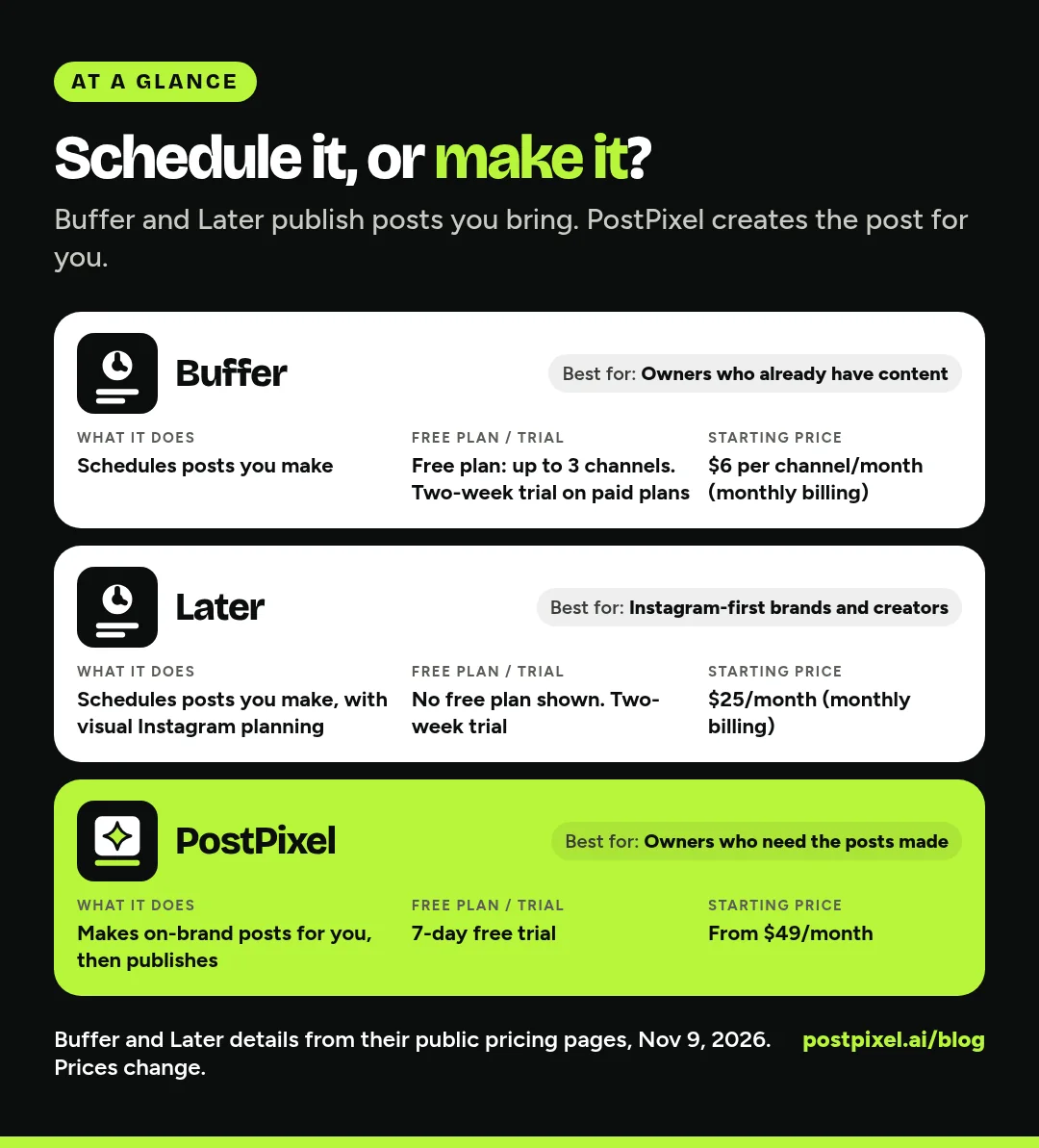
Buffer and Later are schedulers: you make the post, they publish it. PostPixel makes the on-brand post for you. Here's who each one fits, with prices checked in November 2026.
If you already make your own posts and just need them to go out on time, Buffer is the cheapest place to start, and its free plan may be all you need. If your business lives on Instagram and you care how your grid looks, Later is built for that kind of visual planning. If the hard part is making the posts in the first place, PostPixel is the better fit, because it creates on-brand posts for you instead of waiting for you to bring them.
That’s the short version. The rest of this guide shows what each tool actually does, what it costs as of November 2026, and how a plumber, a cafe owner or a small nonprofit might pick between them.
A quick note on fairness: PostPixel is our product. Everything we say about Buffer and Later comes from their own public pages, checked on November 9, 2026. Prices change, so check their pages before you buy.
The big difference: schedulers vs a tool that makes the post
Buffer and Later are social media schedulers. You write the caption, find or design the image, then load it into the tool and pick a time. They’re very good at that last step, and both have added AI writing help and analytics on top.
PostPixel works the other way around. You set up your brand once (logo, colors, voice), and Pixel, PostPixel’s AI, creates finished posts for you: the image and the caption. You can use your own photos if you have them, but you don’t need them. PostPixel can generate the imagery too.
So the real question isn’t “which scheduler is best.” It’s where does your week get stuck?
- Stuck on remembering to post? A scheduler helps.
- Stuck on what to post and how to make it look good? A scheduler won’t fix that. You need something that makes the post.
Buffer: simple, cheap scheduling for people who already have content
Buffer describes itself as “your social media workspace” on its homepage. It schedules posts to Facebook, Instagram, LinkedIn, Google Business, Threads, X and several other networks, and it adds a comment inbox, analytics and an AI Assistant that, in Buffer’s words, can “brainstorm ideas, rewrite content, and craft platform-specific posts.”
Buffer pricing (as of November 2026)
Buffer charges per channel. A channel is one connected account, so a Facebook page, an Instagram account and a Google Business Profile count as three. From buffer.com/pricing:
- Free: up to 3 channels, 10 scheduled posts per channel at a time, 1 user, AI Assistant and 30 days of insights.
- Essentials: $6 per channel per month billed monthly, or $5 per channel per month billed yearly. Unlimited scheduled posts, 1 user, advanced analytics, hashtag manager and first comment scheduling.
- Team: $12 per channel per month billed monthly, or $10 billed yearly. Unlimited team members, approval workflows and branded reports.
Paid plans come with a two-week free trial, and Buffer’s FAQ says nonprofits and charities get 50% off paid plans. By our math from those listed prices, a business posting to Facebook, Instagram and Google Business Profile would pay $0 on Free, $18 a month on Essentials or $36 a month on Team, billed monthly.
Where Buffer is the better fit
Buffer is the right call if:
- You already have content. Maybe your daughter makes great graphics in Canva, or your office manager writes good captions. Buffer gets them out on a schedule. Its pricing page lists a Canva integration and imports from Google Drive and Dropbox.
- You only need a few channels and a few posts. The free plan covers three channels. For a small business posting a couple of times a week, that can be enough, and it’s hard to beat free.
- You want Google Business Profile in the mix. Buffer’s pricing page lists Google Business Profiles with automatic publishing.
Where Buffer falls short for a busy owner
Buffer won’t make the post for you. The AI Assistant helps with words, but you still need the image, the branding and the idea. If you open Buffer on a Sunday night with nothing to post, it will sit there empty with you.
Later: visual planning for Instagram, creators and brands
Later’s homepage now leads with influencer marketing: “Influencer marketing built for creators, trusted by brands, and designed for results.” Its social media management tool, Later Social, is still there, and it’s known for visual planning. Later’s Instagram planner page says you can drag and drop photos and videos to schedule them and “see your profile the way your followers will” before anything goes live.
Later pricing (as of November 2026)
Later prices by “social set.” Its pricing page says a social set includes one of each profile it supports, including Instagram, Facebook, LinkedIn and Threads. Billed monthly:
- Starter: $25/month. 1 social set, 1 user, up to 30 posts per profile per month, 5 AI credits a month, 3 months of analytics and Link in Bio.
- Growth: $50/month. 2 social sets, 2 users, up to 180 posts per profile, approvals, a social inbox and 50 AI credits a month.
- Scale: $110/month. 6 social sets, 4 users, unlimited posts and more analytics.
Paying yearly takes 25% off (Starter works out to $18.75 a month). Every plan has a two-week free trial. We didn’t see a free plan on the pricing page. Later also offers qualified nonprofits 50% off its annual Growth plan.
Where Later is the better fit
Later is the right call if:
- Instagram is your shop window. A boutique, salon, bakery or florist that cares how the grid looks as a whole will like the visual planner.
- You work with creators or influencers. That’s where Later’s company is putting its weight, from finding creators to tracking sales.
- You’re a creator yourself. Link in Bio and best-time-to-post tools are built with you in mind.
Where Later falls short for a local service business
Like Buffer, Later schedules what you bring it. A small number of AI credits helps with captions, but the photos, graphics and ideas are still on you. Also, Google Business Profile wasn’t in the list of profiles in a social set on Later’s pricing page when we checked. If customers find you on Google first, as they do for a lot of local service businesses, check Later’s current list before you commit.
PostPixel: on-brand posts made for you
PostPixel is an AI social media tool for small local businesses and the agencies that serve them. The idea is that posting should take minutes, not your whole Sunday.
Here’s how it works:
- Set up your brand once. Your logo, colors and the way you talk to customers.
- Let Pixel make the posts. It creates branded images and captions in your voice. Add your own photos if you like (you can upload up to 25 at a time), or let PostPixel generate the imagery.
- Tweak anything. The precision editor, on every plan, lets you select one spot in an image and change only that part.
- Publish. Approve the post and send it to Facebook, Instagram, LinkedIn or Google Business Profile.
If you do have job photos, Before/After photo pairing puts two shots side by side in one post, which works well for cleaners, painters, pressure washers and remodelers. The dashboard shows views, engagement rate and posts published, plus a coverage calendar card so you can spot the weeks you missed. We covered that in the new PostPixel dashboard.
PostPixel pricing
Starting from $49/month. Solopreneur is $49, Teams is $79 and Agency is $99 with 3 client workspaces, then $37 for each extra. There’s a Free plan, and paid plans start at $0.99 for your first week.
Where PostPixel is the better fit
PostPixel is the right call if:
- You don’t have time to make posts. More than 500 companies have signed up, and PostPixel saves up to 20 hours a month on content.
- You’re not a designer and don’t want to become one. For more on that, see PostPixel vs Canva for service businesses.
- You don’t have a pile of photos. That’s fine. PostPixel can create the images.
- You’re an agency making posts for several local clients, each with their own brand.
Where PostPixel isn’t the best fit
PostPixel costs more than Buffer’s free plan, and if you already have a steady supply of finished posts, you don’t need it to make more. It also isn’t built for influencer campaigns or for planning an Instagram grid post by post the way Later is.
Side-by-side: Buffer vs Later vs PostPixel
| What to compare | Buffer | Later | PostPixel |
|---|---|---|---|
| What it does | Schedules posts you make | Schedules posts you make, with visual Instagram planning | Makes on-brand posts for you, then publishes |
| Free plan | Yes, up to 3 channels | Not on its pricing page | No |
| Free trial | Two weeks (paid plans) | Two weeks | Free plan, or $0.99 first week |
| Starting paid price | $6 per channel/ |
$25/ |
$49/ |
| Google Business Profile | Listed | Not in its social set list when we checked | Yes |
| AI help | AI Assistant for text | AI credits (5 a month on Starter) | Creates the image and caption |
| Best for | Owners who already have content | Instagram-first brands and creators | Owners who need the posts made |
Competitor details from buffer.com/pricing and later.com/pricing, checked November 9, 2026.
How to choose in five minutes
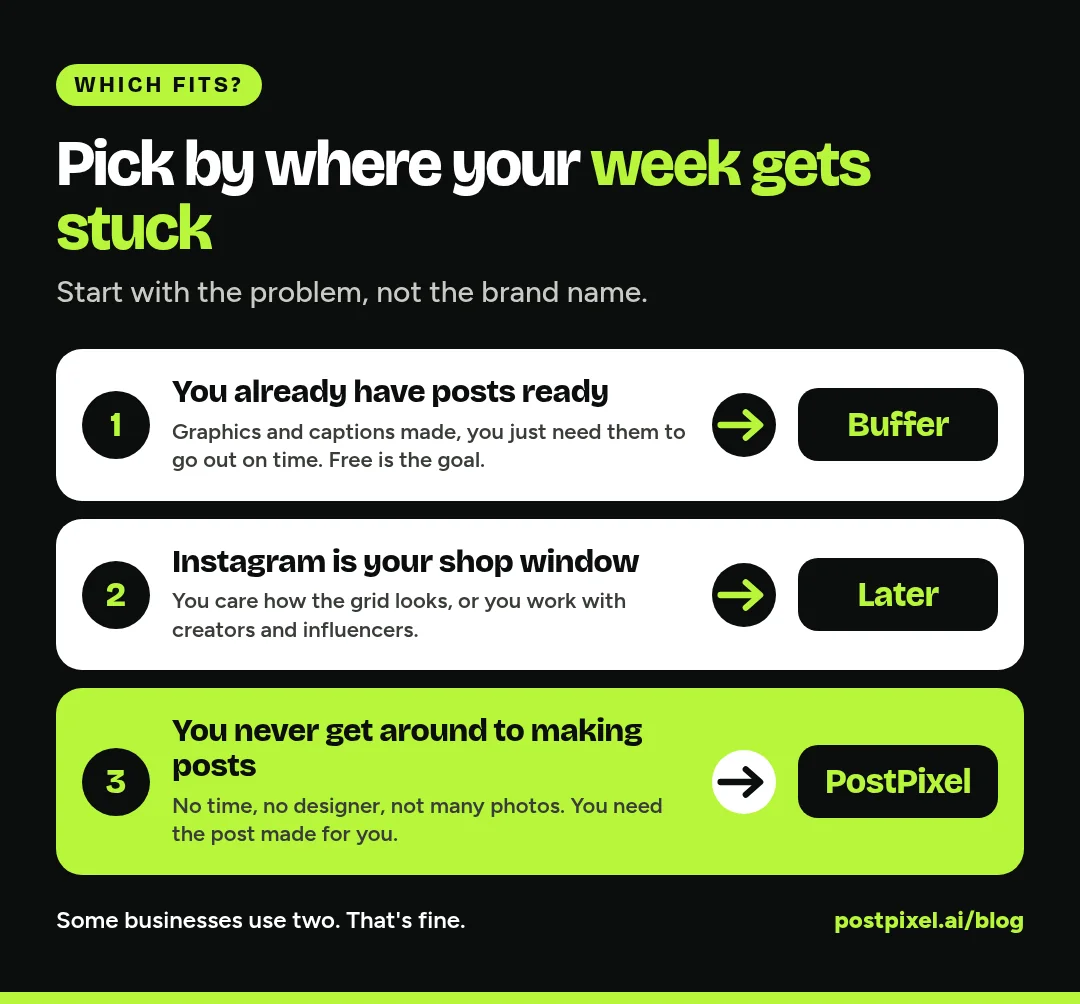
Ask yourself three questions:
- Do I have finished posts ready to go most weeks? If yes, a scheduler is enough. Start with Buffer’s free plan and see if you outgrow it.
- Is Instagram the main place my customers see me, and does the look of my grid matter? If yes, try Later’s visual planner.
- Is the real problem that I never get around to making posts? Then a scheduler only moves the problem. Try a tool that makes them for you.
Some businesses use two tools. A cafe might have a staff member who loves planning the Instagram grid in Later, while the owner uses PostPixel to keep Facebook and Google Business Profile busy. That’s fine. Pick based on the job, not the brand.
What a home service business usually needs
Most plumbers, HVAC techs, cleaners and roofers we talk to aren’t short on scheduling tools. They’re short on time and ideas. Their customers search on Google and scroll Facebook, and what they want to see is proof you show up and do good work. A tool that turns that into a steady flow of branded posts, without the owner sitting at a laptop, solves more of the problem than a better queue does.
If you’re comparing other AI tools too, our Native alternatives guide covers four more options.
FAQ
Is Buffer or Later better for a small business?
It depends on what you need. Buffer is cheaper to start, has a free plan for up to 3 channels and lists Google Business Profile. Later is stronger for visual Instagram planning and creator work, and starts at $25/month billed monthly. Both schedule posts you’ve already made.
Does Buffer have a free plan?
Yes. As of November 2026, Buffer’s free plan covers up to 3 channels with 10 scheduled posts per channel at a time, 1 user and its AI Assistant.
Does Later have a free plan?
We didn’t see one on Later’s pricing page in November 2026. It offers a two-week free trial on its Starter, Growth and Scale plans.
Can Buffer or Later create posts for me?
Both have AI tools that help write captions. Neither makes your branded images and posts for you from scratch the way PostPixel does. You bring the content, and they schedule it.
Do I need my own photos to use PostPixel?
No. You can upload your own photos if you have them, but PostPixel can also generate the imagery for your posts, in your brand.
How much does PostPixel cost?
Starting from $49/month. Teams is $79 and Agency is $99 with 3 client workspaces, then $37 each. There’s a Free plan, and paid plans start at $0.99 for your first week.
Try the one that fixes your actual problem
If you already have posts, start with Buffer’s free plan. If your business lives on Instagram, give Later’s trial a week. If what you really need is the posts themselves, more than 500 companies have signed up for PostPixel to save up to 20 hours a month. Try PostPixel for free and see your first branded posts today.